Storage is one of those cloud costs that nobody worries about until they should have started worrying six months ago. Compute bills are visible and spike dramatically. Storage bills grow quietly, a few gigabytes at a time, until the month someone notices the S3 line item is larger than the EC2 line item and nobody can explain why.
The mechanics are not complicated, but they are easy to ignore. Every major cloud provider offers multiple storage tiers at dramatically different price points, automated tools to move data between them, and a set of hidden cost dimensions (requests, retrieval fees, egress) that compound silently as data volumes grow. This guide covers how to get storage costs under control across AWS S3, Azure Blob Storage, and Google Cloud Storage, using the same optimization logic for all three.
Why Cloud Storage Costs Are Harder to Control Than They Look
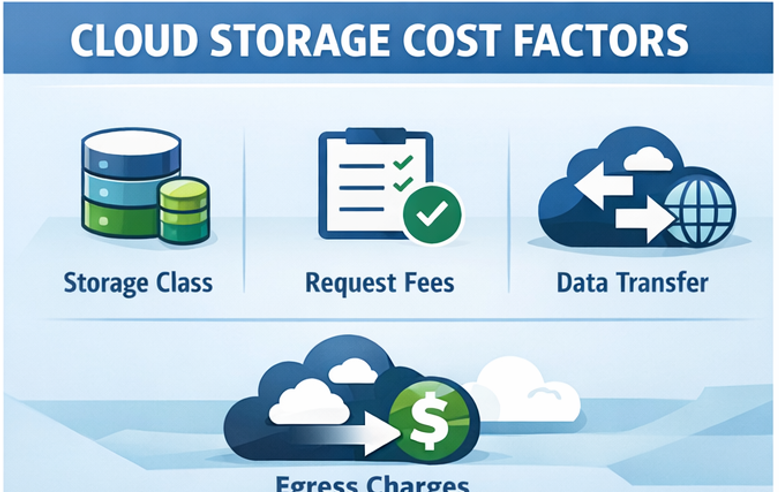
On the surface, object storage pricing looks simple: pay per gigabyte per month, pick a tier. In practice, every provider bills across at least four independent dimensions simultaneously.
For S3, those dimensions are storage class, request volume, data transfer out, and management features. For Azure Blob, they are access tier, redundancy level, transactions, and egress. For GCS, they are storage class, operations, network egress, and inter-region replication. Each dimension compounds with the others, and the combinations are not always intuitive.
A common example: a team moves a dataset to S3 Standard-IA to save on storage costs, not realizing that Standard-IA has higher per-request charges than Standard and a minimum 30-day storage duration. If the dataset is accessed frequently or deleted before 30 days, the move costs more than it saves. The same trap exists in Azure’s Cool and Cold tiers, and in GCS Nearline and Coldline.
The other issue is that storage cost problems accumulate over time. Compute waste is usually visible within a billing cycle. Storage waste can compound for years before anyone reviews it. Log archives from 2022 sitting in S3 Standard, versioning enabled with no lifecycle policy, millions of small objects each billed individually: none of these are dramatic line items individually, but together they represent a significant fraction of the bill.
The Storage Tier Decision: Matching Data to Access Patterns
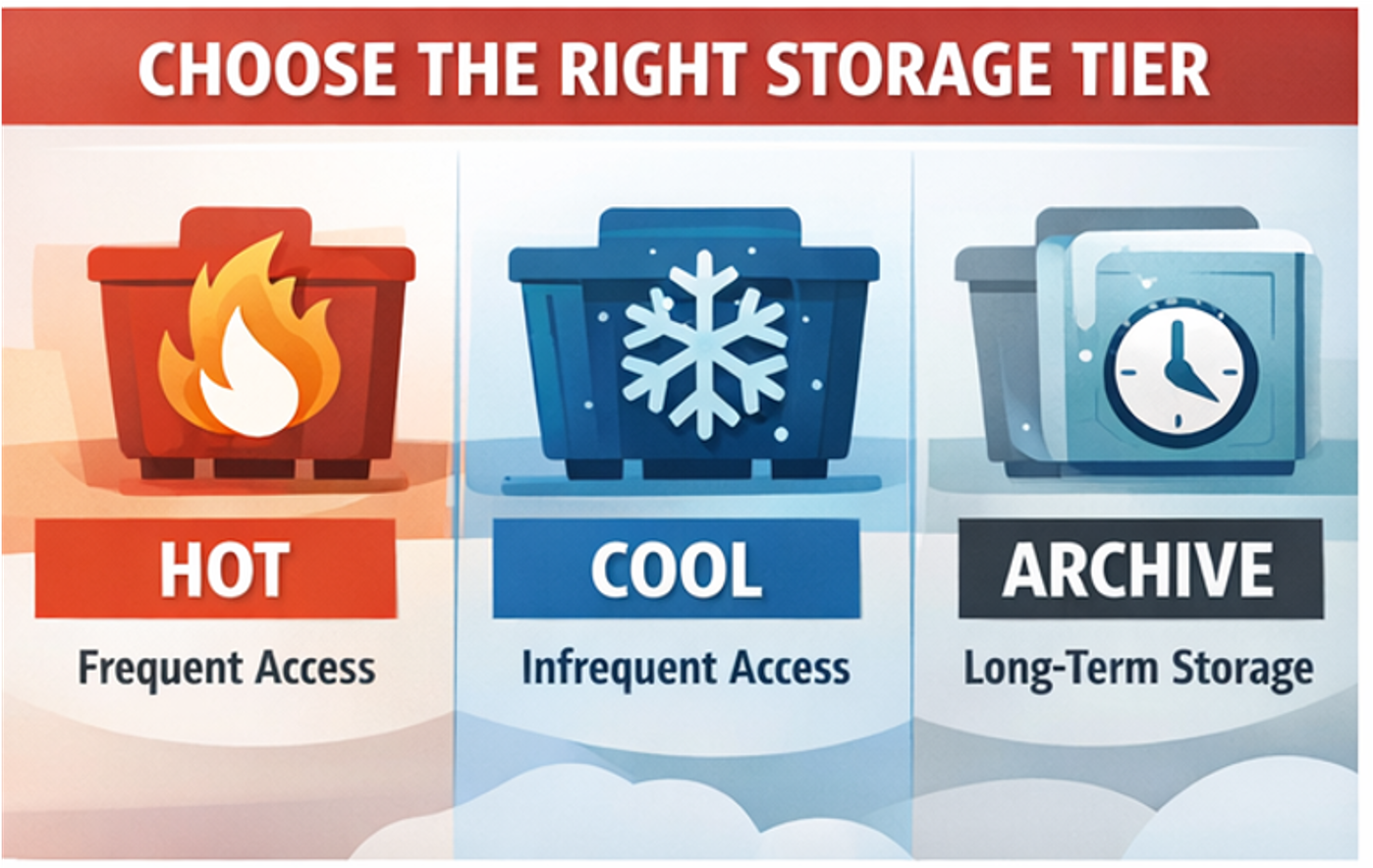
Every provider structures its tiers around the same core trade-off: lower storage cost in exchange for higher retrieval cost and access latency. Getting this right is the single highest-impact optimization available.
AWS S3 offers the most granular tier structure with eight storage classes. The most commonly misused are Standard (defaulted to for everything, including cold data), Standard-IA (cheaper per GB but penalizes frequent access), and the Glacier family (three variants optimized for different retrieval time requirements). Intelligent-Tiering is AWS’s automated answer: for a small monitoring charge per object, it automatically moves data between access tiers based on actual usage patterns. It is the right default for any dataset where access patterns are unpredictable or change over time.
Azure Blob Storage uses Hot, Cool, Cold, and Archive tiers. Hot is appropriate for active data accessed daily. Cool targets data accessed less than once a month with a 30-day minimum retention. Cold sits between Cool and Archive with a 90-day minimum. Archive is for data that can tolerate retrieval latencies of hours. Azure’s Smart Tier automates movement between Hot, Cool, and Cold based on access patterns, removing the need to guess or maintain manual lifecycle rules for blobs with variable access.
Google Cloud Storage uses Standard, Nearline, Coldline, and Archive. Standard is the hot tier. Nearline targets data accessed less than once a month, Coldline less than once per quarter, and Archive once per year or less. GCS’s standout feature is Autoclass, which monitors actual access patterns and automatically moves objects to the optimal tier without requiring manual lifecycle configuration. Autoclass eliminates the most common GCS cost problem: data sitting in Standard tier for months because nobody set up lifecycle rules.
A practical rule across all three: never default to the hot tier for backups, logs, compliance archives, or any data with a clear access pattern below once per month. The per-GB savings from a single tier drop typically range from 40 to 70%.
Lifecycle Policies: Automating the Work
Even with a clear tier strategy, data grows continuously and access patterns drift. Lifecycle policies automate tier transitions and deletions so the optimization does not require ongoing manual effort.
In S3, lifecycle rules can transition objects between any storage classes based on age or prefix, and can expire objects automatically after a defined retention period. The most impactful rules for most teams are transitions from Standard to Standard-IA after 30 days for log data, transitions to Glacier after 90 days for backups, and expiry rules that delete objects or non-current versions after a defined period. Versioning without expiry rules is a silent cost multiplier: every overwrite creates a new version that accrues storage charges indefinitely.
Azure Blob lifecycle management supports similar rules scoped to entire accounts, specific containers, or blob prefixes. Rules can transition blobs between tiers based on last modified date or last accessed date. The last-accessed-based rules require Access Tracking to be enabled, which has its own cost, but for large containers with unclear access patterns it is worth enabling to build data before writing lifecycle rules.
GCS lifecycle rules can transition objects between storage classes or delete them based on age, creation date, storage class, or whether the object is live or noncurrent. If Autoclass is enabled on a bucket, manual lifecycle rules for tiering are disabled. The two approaches are mutually exclusive, so the decision is whether to automate entirely with Autoclass or maintain manual control with lifecycle rules.
One nuance that catches teams across all providers: early deletion charges. S3 Standard-IA charges a minimum of 30 days of storage even if an object is deleted after 10 days. GCS Nearline has a 30-day minimum, Coldline 90 days, Archive 365 days. Azure has similar minimums per tier. Lifecycle rules need to account for these minimums or the transitions will generate unexpected charges rather than savings.
Egress: The Hidden Multiplier
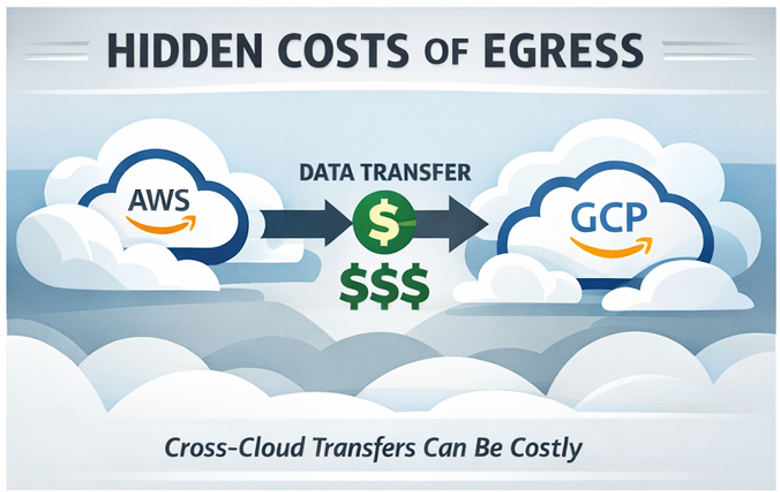
Storage costs are visible. Egress costs are not, until they are.
Data transfer out of any cloud provider to the internet or to another cloud incurs per-GB charges that can easily exceed the storage cost itself. At 100TB of outbound transfer per month, egress costs alone can reach between $8,000 and $10,000 depending on the provider. That is often more than the storage cost for the same dataset.
Current egress rates in US regions: S3 charges $0.09 per GB for the first 10TB out to the internet. Azure charges around $0.087 per GB and GCS charges $0.12 per GB for the first TB, dropping to $0.11 for 1 to 10TB.
The practical implications for engineering teams:
Serving static assets directly from S3 to end users at scale is expensive. Routing through CloudFront typically costs less in combined egress and CDN fees while also reducing origin request volume significantly. Azure CDN and Google Cloud CDN provide the same benefit for their respective providers.
Cross-region replication is often enabled for redundancy without anyone calculating the ongoing transfer cost. If replication is required, confirm it is actually required by business continuity or compliance requirements, not just left on from an initial setup.
Multi-cloud egress is where the cost becomes truly punishing. Moving data between AWS and GCP, or between Azure and AWS, incurs full internet egress rates on the outbound side. If your architecture depends on regularly transferring large datasets between providers, that traffic needs to be explicitly budgeted and monitored.
The Requests Problem: Small Objects and Chatty Patterns
Request charges are the dimension most engineers forget to model. Every GET, PUT, LIST, and COPY operation is billed, and the charges are not trivial at scale.
Storing a million small objects creates a very different cost profile than storing one large object of equivalent total size, because the request overhead is multiplied across every access. Workloads that generate frequent LIST operations, like applications that scan bucket contents regularly, can accumulate significant request costs independent of storage volume.
For S3, PUT and COPY operations cost $0.005 per 1,000 requests for Standard. GET and SELECT cost $0.0004 per 1,000. Standard-IA charges more per request than Standard: any workload that accesses data more frequently than expected after moving to IA will cost more, not less. The same dynamic applies in Azure and GCS where lower-cost tiers have higher transaction charges.
Practical mitigations: batch small objects into larger archives where access patterns allow, avoid unnecessary LIST operations in application code, and use S3 Storage Lens or GCS Storage Insights to identify buckets generating disproportionate request charges before the bill arrives.
Incomplete Multipart Uploads: The Invisible Storage Tax
Every engineer who has uploaded large files to object storage has probably generated incomplete multipart upload waste without realizing it. When an application initiates a multipart upload and the process fails, is cancelled, or times out, the parts that were already uploaded stay in storage. They are not visible as objects in the bucket, they do not show up in standard storage reports, and they accrue charges indefinitely until explicitly cleaned up.
On a bucket with frequent large file uploads or an application that retries failed uploads without aborting the previous attempt first, this waste compounds quickly. A dataset migration that failed halfway through six months ago may still be silently charging for hundreds of gigabytes of orphaned parts.
The fix is a lifecycle rule specifically targeting incomplete multipart uploads. In S3, this is a separate rule type from object transitions or expiry. You set a threshold in days, for example 7, and any multipart upload that has not been completed within that window is automatically aborted and its parts deleted.
{
  "Rules": [{
    "ID": "abort-incomplete-multipart",
    "Status": "Enabled",
    "AbortIncompleteMultipartUpload": {
      "DaysAfterInitiation": 7
    }
  }]
}
Azure Blob handles this differently. Uncommitted blocks are automatically discarded after 7 days by the platform, but you can also call the Put Block List operation or delete the blob explicitly to clean up sooner. GCS has no automatic cleanup of incomplete resumable uploads: they expire after 7 days by default, but for workloads with very high upload failure rates, explicitly calling the delete operation on failed uploads avoids any interim storage charges.
Before setting up the lifecycle rule, it is worth running a one-time audit to understand the current scope of the problem. In S3, the AWS CLI command aws s3api list-multipart-uploads --bucket your-bucket-name lists all in-progress multipart uploads with their initiation date. It is not unusual to find uploads initiated months or years ago that have never been cleared.
Intelligent-Tiering Break-Even: When Automation Costs More Than It Saves
S3 Intelligent-Tiering is genuinely useful for datasets with unpredictable or changing access patterns, but it is not free to run and it does not make sense for every object. Understanding the break-even point prevents the common mistake of enabling it across all buckets as a default cost-saving measure, only to find it has increased costs for certain workloads.
Intelligent-Tiering charges a per-object monitoring fee of $0.0025 per 1,000 objects per month, on top of the underlying storage costs for whichever tier each object lands in. For large objects, this monitoring fee is negligible relative to the storage savings from automatic tier transitions. For small objects, the monitoring fee can exceed those savings entirely.
The break-even calculation is straightforward. The monthly monitoring cost per object is $0.0000025. The maximum monthly storage saving achievable by moving an object from Frequent Access to Infrequent Access tier is the difference in storage rate: $0.023 per GB versus $0.0125 per GB in US East, so $0.0105 per GB. Setting the monitoring cost equal to the maximum saving:
0.0000025 = 0.0105 x Object Size in GB
Solving for object size: break-even sits at approximately 238 KB. Objects below this size cannot save enough in storage charges to justify the monitoring fee, even if they are perfectly cold and transition immediately to Infrequent Access tier. AWS’s own documentation recommends Intelligent-Tiering only for objects larger than 128 KB as a practical guideline.
The implication is concrete: if your bucket contains millions of small objects (thumbnails, log entries, metadata files, API response caches), Intelligent-Tiering will increase your bill. The right approach for those workloads is either a manual lifecycle rule that transitions objects based on age, or simply accepting Standard pricing for objects where the absolute cost per object is too small to optimize meaningfully.
GCS Autoclass has a similar monitoring charge of $0.0025 per 1,000 objects per month, and the same break-even logic applies. Azure’s Smart Tier does not currently charge an explicit per-object monitoring fee, making it more viable for buckets with high counts of small objects.
Visibility Across Providers: The Multi-Cloud Problem
Teams running storage across AWS, Azure, and GCP face a challenge none of the provider-native tools solve: getting a unified view of storage cost and waste across all three. S3 Storage Lens, Azure Cost Management, and GCS Billing Reports each show their own slice but use different schemas, different cost dimensions, and different levels of granularity. Reconciling them manually is time-consuming and error-prone.
Without unified visibility, the typical pattern is that each cloud’s storage costs get reviewed separately, optimizations happen in isolation, and the cross-cloud picture never gets examined as a whole. That matters because storage decisions in multi-cloud architectures often involve trade-offs across providers: where to store a dataset, which provider’s archive tier is cheapest for a given retention requirement, where egress costs make a transfer prohibitively expensive.
How Holori Helps optimize Cloud storage cost
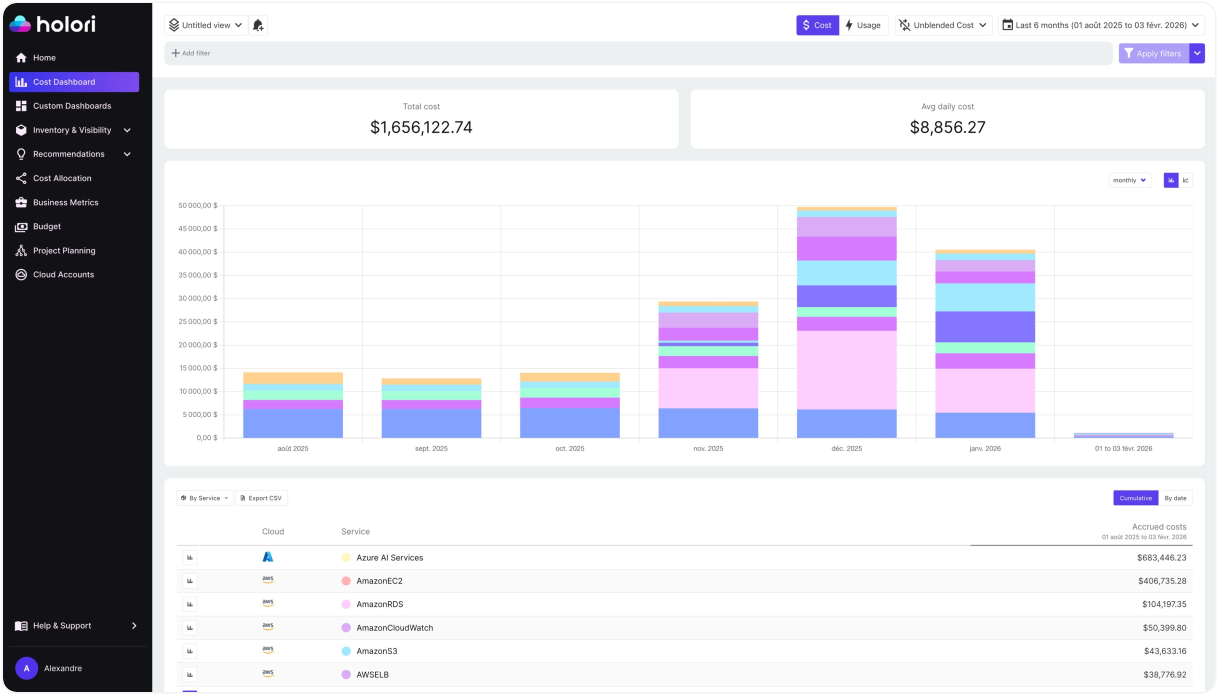
Holori normalizes cost data across AWS, Azure, and GCP into a single view, which means storage spend from S3, Azure Blob, and GCS appears in the same dashboard with consistent cost dimensions and allocation logic. Virtual tags let you attribute storage costs to the teams or products that own the data, even when the underlying buckets have inconsistent or missing tags, giving you the allocation accuracy needed to identify which workloads are driving storage growth.
Anomaly detection flags unexpected storage cost movements in real time across all three providers. A versioning misconfiguration that starts generating thousands of noncurrent object versions, an application bug that begins writing duplicate objects, a lifecycle policy that stopped running silently: these show up as anomalies before they compound across a full billing cycle rather than after.
For teams tracking storage costs as part of a broader FinOps program, Holori also surfaces storage spend alongside compute and networking in the same cost allocation and unit economics framework, making it possible to understand what storage actually costs per product, per environment, or per customer rather than as a single undifferentiated line item.
Cloud storage is not a hard problem to optimize. The strategies are well understood and the providers have built the tooling to automate most of the heavy lifting. The challenge is visibility: knowing what you have, where it is, what tier it is in, and whether the lifecycle policies that were set up two years ago are still running correctly. Fix the visibility, and most of the optimization follows naturally.
Conclusion: How to optimize Cloud storage cost?
Cloud storage cost optimization is not a one-time project. It is a set of practices that need to be built into how your team provisions, monitors, and retires infrastructure from the start.
The good news is that the leverage is disproportionate. Unlike compute optimization, which often requires careful performance testing and gradual rollouts, most storage optimizations are low-risk and immediately reversible. Setting a lifecycle rule, aborting incomplete multipart uploads, or moving a cold dataset to Glacier does not require a deployment window or a rollback plan. The friction is low and the savings compound over time.
The teams that consistently keep storage costs under control share three habits. They match data to the right tier from the moment it is written, rather than defaulting to Standard and optimizing later. They automate transitions and deletions through lifecycle policies so the optimization does not depend on anyone remembering to do it manually. And they maintain visibility across their entire storage footprint, including the buckets that were created two years ago by someone who has since left the team.
That last point is where most organizations fall short. Individual bucket optimizations are straightforward. Maintaining a clear picture of everything running across S3, Azure Blob, and GCS simultaneously, with consistent cost attribution and anomaly detection, is where the work actually lives. Solve the visibility problem, and the optimization decisions become obvious.
Try Holori and visualize your cloud storage costs now: https://app.holori.com/
Frequently Asked Questions
What is the cheapest cloud storage tier across AWS, Azure, and GCS?
For rarely accessed data, AWS S3 Glacier Deep Archive ($0.00099 per GB per month), Azure Archive ($0.00099 per GB), and GCS Archive ($0.0012 per GB) are the lowest-cost options across all three providers. The trade-off is retrieval latency of hours and early deletion fees, so they are only appropriate for compliance archives or data you are unlikely to ever need quickly.
Should I enable S3 Intelligent-Tiering on all my buckets?
No. Intelligent-Tiering only makes financial sense for objects larger than around 128 to 238 KB. For buckets containing millions of small objects like thumbnails, logs, or metadata files, the per-object monitoring fee will exceed the storage savings. Use manual lifecycle rules instead for those workloads.
How do I find and clean up incomplete multipart uploads in S3?
Run aws s3api list-multipart-uploads --bucket your-bucket-name to audit existing orphaned uploads. Then set up a lifecycle rule with AbortIncompleteMultipartUpload set to 7 days to automatically clean up future incomplete uploads before they accrue charges.
Why is my egress bill higher than my storage bill?
This happens when data is served directly from the bucket to end users or transferred between cloud providers without routing through a CDN. Enabling CloudFront for AWS, Azure CDN for Azure Blob, or Google Cloud CDN for GCS significantly reduces egress costs for high-traffic workloads by caching content at the edge.
What is the difference between commitment coverage rate and utilization rate for storage?
Coverage rate measures what fraction of your storage spend is covered by discounts or reserved capacity. Utilization rate measures whether the storage capacity you have provisioned or reserved is actually being used. Both need to be tracked together: high coverage with low utilization means you are overpaying for capacity you do not need.