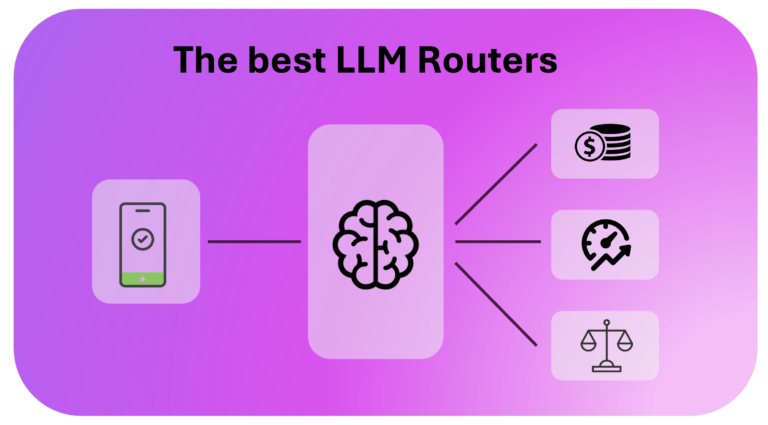
Choosing the right LLM router has become one of the most important infrastructure decisions an AI team makes. No single model wins at everything. GPT-5.1 might reason best. Gemini 3 might read images better. A small open-weight model might handle simple support tickets for a fraction of the price. An LLM router sits between your application and all these models. It sends each request to the best one automatically.
This guide breaks down what an LLM router does. We compare the leading options, grouped by category, since they solve different problems and rarely compete head to head. We also explain why cost visibility matters just as much as smart routing. Once you route across many models and providers, tracking what you actually spend gets hard, and it gets hard fast.
What Is an LLM Router?
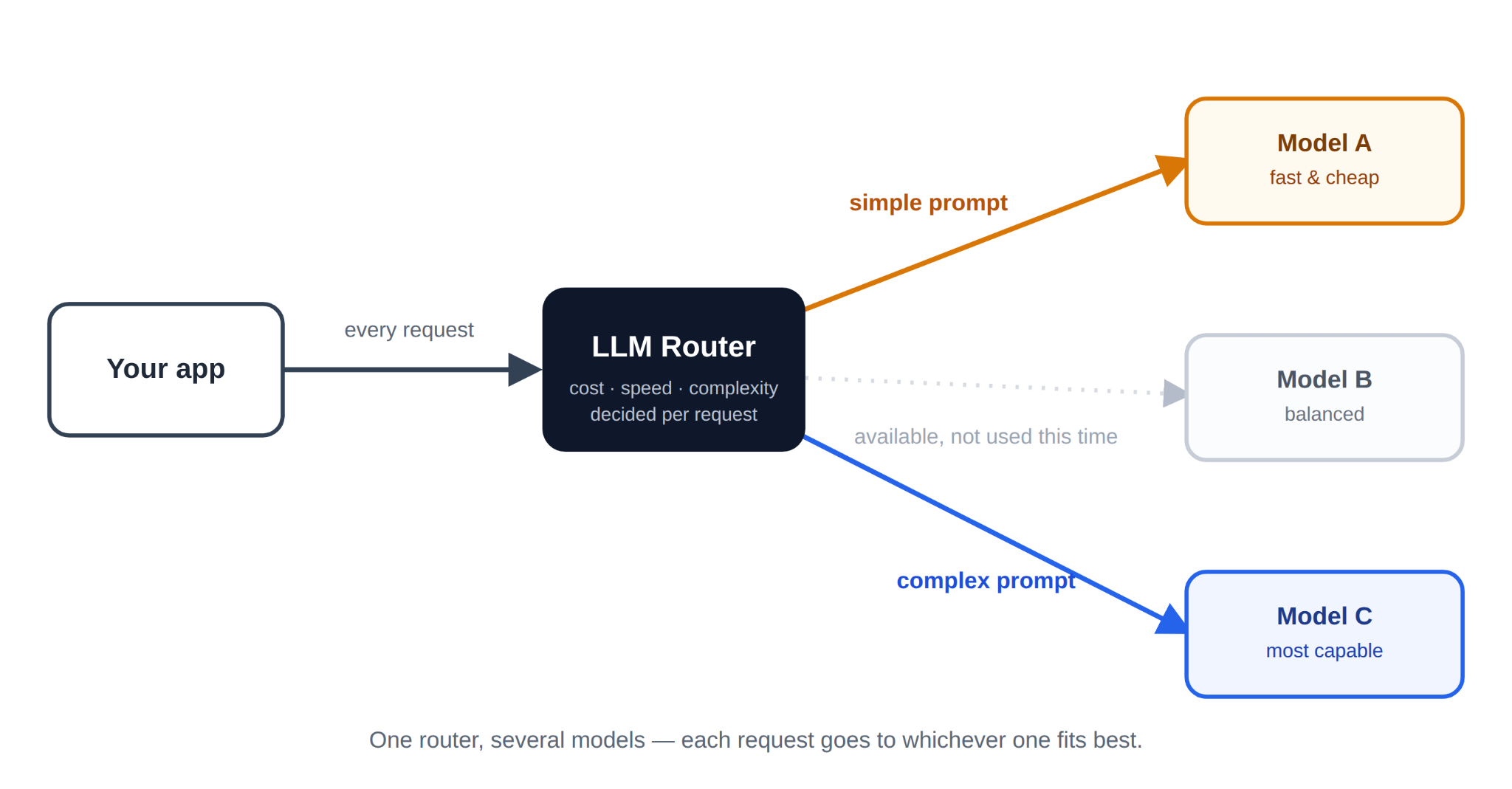
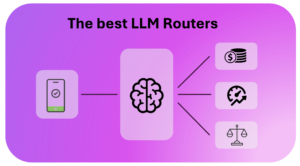
An LLM router is a layer that sits between your application and one or more language models. Instead of hardcoding a single model into your product, you send requests to the router. The router then decides, in real time, which model should handle each request.
That decision can rest on several factors. Cost is one. Latency is another. Task complexity matters too, since a simple classification prompt does not need a frontier reasoning model. Some routers also track provider uptime, so a failed request automatically falls over to a backup model.
In short, an LLM router turns “which model should I call” into an infrastructure decision. It replaces a hardcoded choice buried deep in application code.
Why Teams Need an LLM Router in 2026
A few years ago, most products used one model from one provider. That approach no longer holds up.
Model quality now changes monthly. A model that was state of the art in January can be beaten by a cheaper competitor by June. Locking your product into one provider means missing those gains. It also means rewriting integration code every time you want to switch.
Cost pressure adds another reason to route. Frontier models can cost ten to twenty times more per token than smaller, faster alternatives. Routing simple requests to cheaper models, while reserving expensive ones for hard tasks, can cut inference spend significantly. Often, this happens without any noticeable drop in output quality.
Reliability matters more too, as AI moves into production. A single provider outage can take down a whole product if there is no fallback. An LLM router with automatic failover keeps requests flowing even when one provider goes down.
How LLM Routers Work
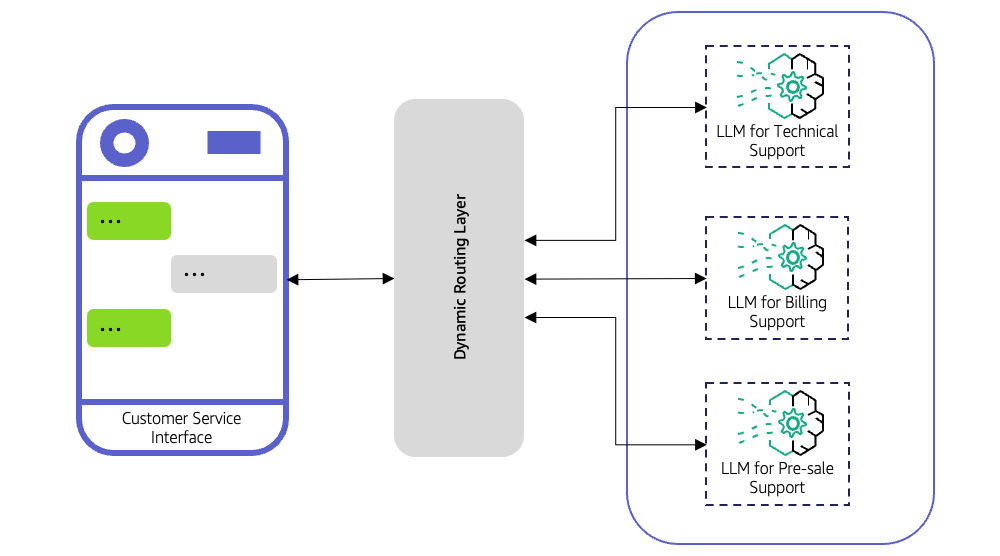
Most LLM routers use one of three underlying methods. Many combine more than one.
Rule-based routing sends requests to models based on static rules you define. For example, “use GPT-5.1 for anything over 4,000 tokens,” or “use a local model for internal tools.” This method is simple and predictable. It does not adapt on its own, though.
Learned or model-based routing uses a smaller trained model to predict the best downstream model for a prompt. It makes this prediction before the prompt is even sent. Not Diamond, RouteLLM, and the native routers inside AWS Bedrock and Microsoft Foundry all work this way. This approach can improve accuracy and cut cost at the same time, because it learns which tasks truly need a stronger model.
Availability and price-based routing picks a model dynamically, based on current provider status, latency, and price. OpenRouter and Requesty lean heavily on this method. It is especially useful for keeping uptime high across many providers.
Many production setups also add a caching layer on top of routing. Semantic caching spots when a new prompt is close enough to a previous one. When it finds a match, it returns a cached response instead of paying for a new inference call.
The Four Types of LLM Routers
Not every product called an “LLM router” solves the same problem, and that is the biggest source of confusion when comparing them. Before ranking specific tools, it helps to separate them into four categories.
Cloud-native routers ship inside a single cloud provider’s AI platform. They route only between models available on that platform, with no extra infrastructure to run. AWS Bedrock and Microsoft Foundry both fall here.
Hosted multi-provider gateways give you one API that reaches dozens of providers at once. You do not manage servers, and you get broad model access fast. OpenRouter, Requesty, and Cloudflare AI Gateway fit this category.
Open-source, self-hosted gateways run inside your own infrastructure. You trade setup effort for full control over data residency, uptime, and customization. LiteLLM and the open-source Portkey Gateway lead this group.
Quality-optimized learned routers focus less on breadth and more on accuracy. A trained model predicts, per request, which downstream model will perform best. Not Diamond and the open-source RouteLLM project represent this category.
Knowing which category you actually need narrows the decision fast. A team that just wants failover across providers does not need the same tool as a team trying to squeeze extra accuracy out of a coding agent.
Key Features to Look for in an LLM Router
Whichever category fits your use case, a few features separate the strong options from the weak ones:
- Provider coverage: does it support the models and providers you already use, such as Bedrock, Vertex AI, or Azure OpenAI?
- Routing logic: can you set your own rules, or does it rely purely on a trained routing model?
- Fallback and retries: does it automatically retry on a different provider when one fails?
- Observability: can you see latency, cost, and token usage per request, team, or model?
- Deployment model: do you need a hosted service, or does your data policy require self-hosting?
The Best LLM Routers in 2026, by Category
Here is how the leading options compare, grouped by the category they actually belong to.
| Router | Category | Routing approach | Best for |
| AWS Bedrock Intelligent Prompt Routing | Cloud-native | Trained quality prediction, same model family only | AWS-only teams wanting a zero-setup router |
| Microsoft Foundry Model Router | Cloud-native | Trained model, cross-provider, 3 routing modes | Azure teams wanting cross-provider routing in one deployment |
| OpenRouter | Hosted multi-provider gateway | Price, latency, and availability based | Fast access to 500+ models from one API |
| Requesty | Hosted multi-provider gateway | Availability and cost based, sub-15ms failover | Simple pricing with strong compliance features |
| Cloudflare AI Gateway | Hosted multi-provider gateway | Configurable request flows (conditions, quotas, A/B) | Teams wanting programmable routing logic at the edge |
| LiteLLM | Open source, self-hosted | Rule-based, lowest-cost, load balancing | Full infrastructure control and data residency |
| Portkey Gateway | Open source, self-hosted (+ hosted option) | Rule-based with fallback and caching | Teams wanting open source plus enterprise governance |
| Not Diamond | Quality-optimized learned router | Trained routing model, quality-optimized | Maximizing accuracy on coding or agentic tasks |
| RouteLLM | Quality-optimized learned router | Trained classifier, preference-data based | Research teams building a custom in-house router |
Cloud-native routers
These routers live inside a single cloud provider’s model catalog. You get routing with almost no setup, but you are limited to that provider’s models.
AWS Bedrock
AWS Bedrock Intelligent Prompt Routing routes between exactly two models within the same model family, such as two Anthropic models or two Meta models. It cannot route across providers, so you will not see it choosing between Claude and Llama in the same request. A trained predictor estimates the quality gap between the two models and only calls the stronger, pricier one when the gap crosses a threshold you set. As of 2026, the feature remains in preview, and it currently supports English prompts only.
Azure AI Foundry
Microsoft Foundry Model Router (the renamed Azure AI Foundry) goes further. It routes across a genuinely diverse catalog, including OpenAI, Anthropic, xAI, DeepSeek, Meta, and open-weight models, all through a single deployment. You choose one of three modes: balanced, quality, or cost, depending on what you are optimizing for. It is generally available for production use, though Claude models need a separate deployment step before the router can use them.
Hosted multi-provider gateways
These give you one API key and broad access across providers, without running any infrastructure yourself.
OpenRouter (acquired by Stripe in August 2026)

OpenRouter is the most widely used hosted LLM router. It gives you a single, OpenAI-compatible API that connects to more than 500 models across 80-plus providers. Requests route automatically based on availability, price, and speed, with automatic fallback if a provider goes down. It runs on a simple credits system, which makes it a strong starting point for teams that want breadth without managing infrastructure.
Requesty
Requesty focuses on speed and predictable pricing. It connects to 600-plus models, with automatic failover in under 14 milliseconds, plus geo-based routing for data residency needs such as keeping EU traffic inside Frankfurt. Its pricing model is a flat markup on model cost, with no per-seat fees, and it includes built-in PII detection and audit logs.
Cloudflare AI Gateway

Cloudflare AI Gateway takes a more programmable approach. Instead of a fixed routing algorithm, it lets you build request flows with conditional nodes, percentage-based A/B testing, and per-user or per-team budget limits, all without touching application code. That makes it less of a “pick the best model” router and more of a traffic-control layer that happens to include routing.
Open-source, self-hosted gateways
These run inside your own cloud, which trades setup time for full control over your data and infrastructure.
LiteLLM

LiteLLM is fully open source and built to be self-hosted, even in an air-gapped environment. That makes it a strong choice for teams with strict data residency or compliance needs. Beyond basic routing, it supports lowest-cost routing, load balancing across regions, spend tracking per key or team, and semantic caching. Because you run it yourself, there is no dependency on a third party’s uptime.
Portkey

Portkey Gateway is also open source, under an MIT license, and self-hostable via Docker, Kubernetes, or serverless platforms. It adds fallback strategies, prompt caching, and more than 50 built-in guardrails. Teams that outgrow the self-hosted core can move to Portkey’s hosted or enterprise tier, which layers on governance features like role-based access control and centralized cost attribution.
Quality-optimized learned routers
These focus on one specific goal: picking the best model for a given prompt, not just the cheapest or fastest available one.
Not Diamond

Not Diamond uses a trained router model that predicts which model will perform best on a specific input, weighing provider, reasoning complexity, and context length. This method has shown strong results on coding and agentic workloads, where the right model choice changes task by task. Teams like Hugging Face and Dropbox use it to raise output quality while lowering cost.
RouteLLM
RouteLLM is an open-source research project from UC Berkeley and Anyscale. It trains a routing classifier on real user preference data to decide, request by request, whether a cheap model is good enough or a stronger one is needed. It is not a hosted product, so it suits teams that want to build a custom router on open research rather than pay for a managed service.
A note on the category: a few products once marketed as cross-provider “LLM routers” have since shifted focus. Martian’s homepage, for one, now centers on AI interpretability research rather than routing. Verify a vendor’s current scope before committing, since this space moves fast.
LLM Router vs AI Gateway: What Is the Difference?
The terms overlap, and vendors often use them interchangeably. Still, there is a useful distinction.
An LLM router focuses on one decision: which model handles a request. An AI gateway is a broader layer. It also handles authentication, rate limiting, logging, and governance across all your AI traffic, whether or not routing is involved.
In practice, most modern tools do both. Portkey and LiteLLM, for example, act as full AI gateways that happen to include strong routing logic. When evaluating options, ask whether you need routing alone, or the wider governance layer a gateway provides.
The Hidden Cost Problem: Why Tracking AI Spend Is Critical
Routing solves one problem. It does not solve the next one: knowing exactly what you spend, and why.
Once a team routes across five or six models and several providers, a single invoice stops telling the full story. Bedrock, Vertex AI, Azure OpenAI, and direct API keys to OpenAI or Anthropic each bill differently. Token pricing varies by model, and it often changes without much notice.
This creates a visibility gap. A team can see that total AI spend rose 40% in a month. It often cannot see which product feature, which customer, or which model caused it. That gap gets more expensive the longer it goes unaddressed. Nobody catches a misconfigured routing rule sending traffic to an expensive model, until the bill arrives.
Cloud-native routers make this worse in one specific way. Bedrock and Foundry only show spend inside their own console, tied to their own models. The moment you also call OpenRouter, a direct Anthropic key, or a self-hosted LiteLLM instance, that single-cloud view stops being the full picture.
Shadow AI usage adds another layer of risk. An engineer testing a new model, an agent calling more tools than expected, or a caching layer silently failing can all drive costs up quietly. Without granular tracking, these issues surface only after the invoice lands. By then, it is too late to act on them.
This is exactly why cost tracking has become as important as the router itself. A routing layer decides where a request goes. A cost management layer tells you, afterward and in real time, what that decision actually cost, broken down by team, project, or customer.
How Holori Helps Teams Track and Control AI Costs
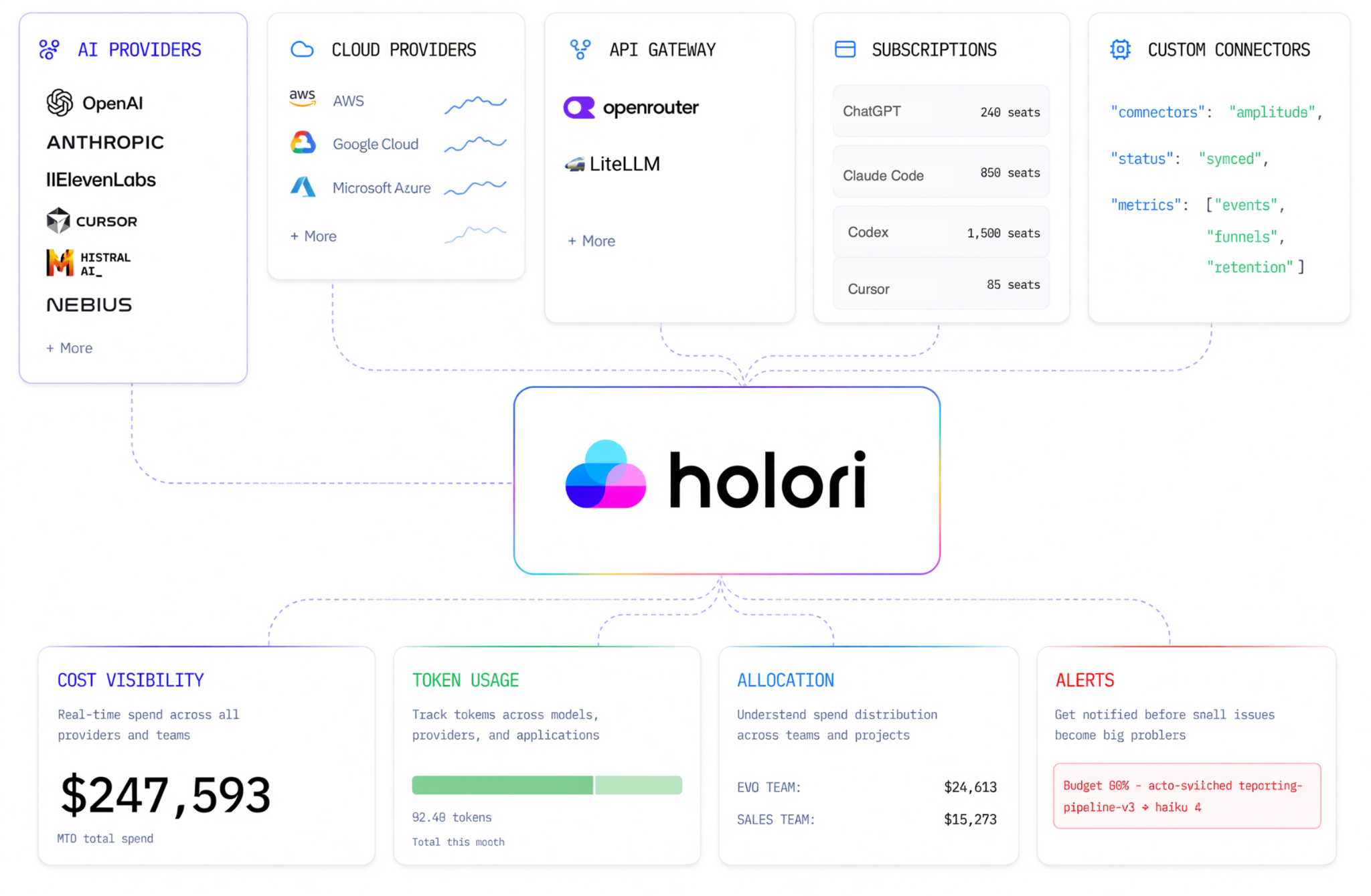
This is the problem Holori’s AI and LLM cost management solution is built to solve.
Holori pulls AI spend from OpenAI, Anthropic, AWS Bedrock, Vertex AI, Azure AI Services…, into normalized dashboard. Instead of comparing invoices from six consoles, you get a single view of token consumption, input and output usage, and spending trends. This view spans every provider your router touches, regardless of which category of router you chose.
Cost allocation is where Holori adds the most value for teams running an LLM router in production. Using customizable Virtual Tags, you can split token, inference, and subscription costs across departments, products, or even individual customers. That answers a question a raw provider invoice never can: which team, feature, or customer actually drives the bill.
Holori also adds a governance layer on top of that visibility. Real-time alerts flag cost spikes and budget overruns before they become a quarterly surprise. Unusual token consumption or API activity gets flagged automatically. For a team relying on an LLM router to move traffic between providers, this closes the loop. The router decides where requests go. Holori shows exactly what that routing costs, in real time and by team.
Why is Holori particularly powerful? It does not limit itself to AI cost but extends to cloud costs. Sometimes the border between AI and cloud costs is blurred. Should AWS Bedrock costs be considered pure AI or cloud? With Holori, you don’t have to choose anymore since all your AI + cloud costs share a common tracking and optimization environment.
How to Choose the Right LLM Router for Your Team
There is no single best LLM router for every team. The right choice depends on which category actually matches your problem.
If you are already committed to one cloud and want the simplest setup, start with that cloud’s native router, such as Bedrock or Foundry, and accept its narrower model coverage. If you need broad model access with minimal infrastructure, a hosted gateway like OpenRouter or Requesty gets you running fastest. Also, if data residency or full infrastructure control matters more, LiteLLM’s self-hosted model fits better. If your priority is squeezing out accuracy on complex tasks like coding or agentic workflows, test a learned router such as Not Diamond against your own benchmarks.
Whichever category you choose, pair it with cost visibility from day one. Routing without cost tracking is like optimizing a delivery route without ever checking the fuel bill. You might make good decisions, but you will not know it until the numbers prove it.
Key Takeaways
An LLM router lets you stop hardcoding a single model into your product. It lets you treat model selection as an infrastructure decision instead. The category matters as much as the vendor. Cloud-native routers like Bedrock and Foundry trade breadth for simplicity. Hosted gateways like OpenRouter trade control for speed. Self-hosted tools like LiteLLM trade setup time for full ownership. Learned routers like Not Diamond trade generality for accuracy.
None of that routing logic matters if you cannot see what it costs. As AI spend spreads across more models, providers, and even router categories, a dedicated cost management layer becomes just as critical as the router making the decisions. Holori was built to be that layer.
Frequently Asked Questions
What is the best LLM router for small teams? OpenRouter is usually the easiest starting point. It requires no infrastructure, and it gives access to hundreds of models through one API and a simple credits system.
Is AWS Bedrock’s router worth using? It is worth testing if you are already all-in on Bedrock. Just keep the limits in mind: it only routes between two models in the same family, such as two Anthropic models, and it remains in preview with English-only support in 2026.
Do I need an LLM router if I only use one model provider? Probably not yet. LLM routers become valuable once you use more than one model or provider, or once uptime and cost optimization start to matter.
Is LiteLLM free to use? Yes, LiteLLM’s core gateway is open source under an MIT license. You still pay the underlying model providers for inference, and you cover your own hosting costs.
How is an LLM router different from a cost management tool? A router decides which model handles each request. A cost management tool, like Holori, tracks and allocates what those requests actually cost across teams, products, and providers.
How can I try Holori? Symply go to https://app.holori.com and get started for free