Cloud storage cost optimization can become a headache. Costs are rising faster than most engineering teams expect. Data accumulates silently. Old logs, redundant snapshots, and forgotten backups pile up in buckets and volumes month after month. Before long, your cloud bill reflects years of data nobody actively uses anymore.
Cloud storage lifecycle management is the practice of defining rules that automatically move, archive, or delete data based on age, access frequency, or other criteria. It is one of the highest-return levers available for cloud storage cost optimization. Yet it remains underused in most organizations.
This guide covers 10 actionable, expert-level tips to help you implement effective lifecycle policies across AWS, Azure, and GCP. It is written for cloud engineers, FinOps practitioners, and architects who want to eliminate block storage waste and build leaner, more cost-efficient storage architectures.
Why Cloud Storage Lifecycle Management Matters
Storage costs are deceptive. Individual object or block costs seem small. But at scale, the cumulative effect is enormous. AWS charges for S3 storage by the gigabyte per month. Azure Blob Storage bills per GB depending on the tier. Google Cloud Storage does the same. None of these services automatically remove or downgrade data you stop using.
Without lifecycle rules, your data stays in the most expensive tier forever. A log file written two years ago sits in S3 Standard at the same price as a file accessed daily. That is pure waste.
According to multiple FinOps surveys, unused or over-tiered storage consistently appears among the top three sources of avoidable cloud spend. Lifecycle management is the systematic answer to that problem. It automates what would otherwise require manual review, scripting, or constant human oversight.
The ten tips below are organized from foundational practices to advanced optimization strategies. Each one contributes to a broader cloud storage cost optimization program.
Tip 1: Understand the Storage Tiers Available to You
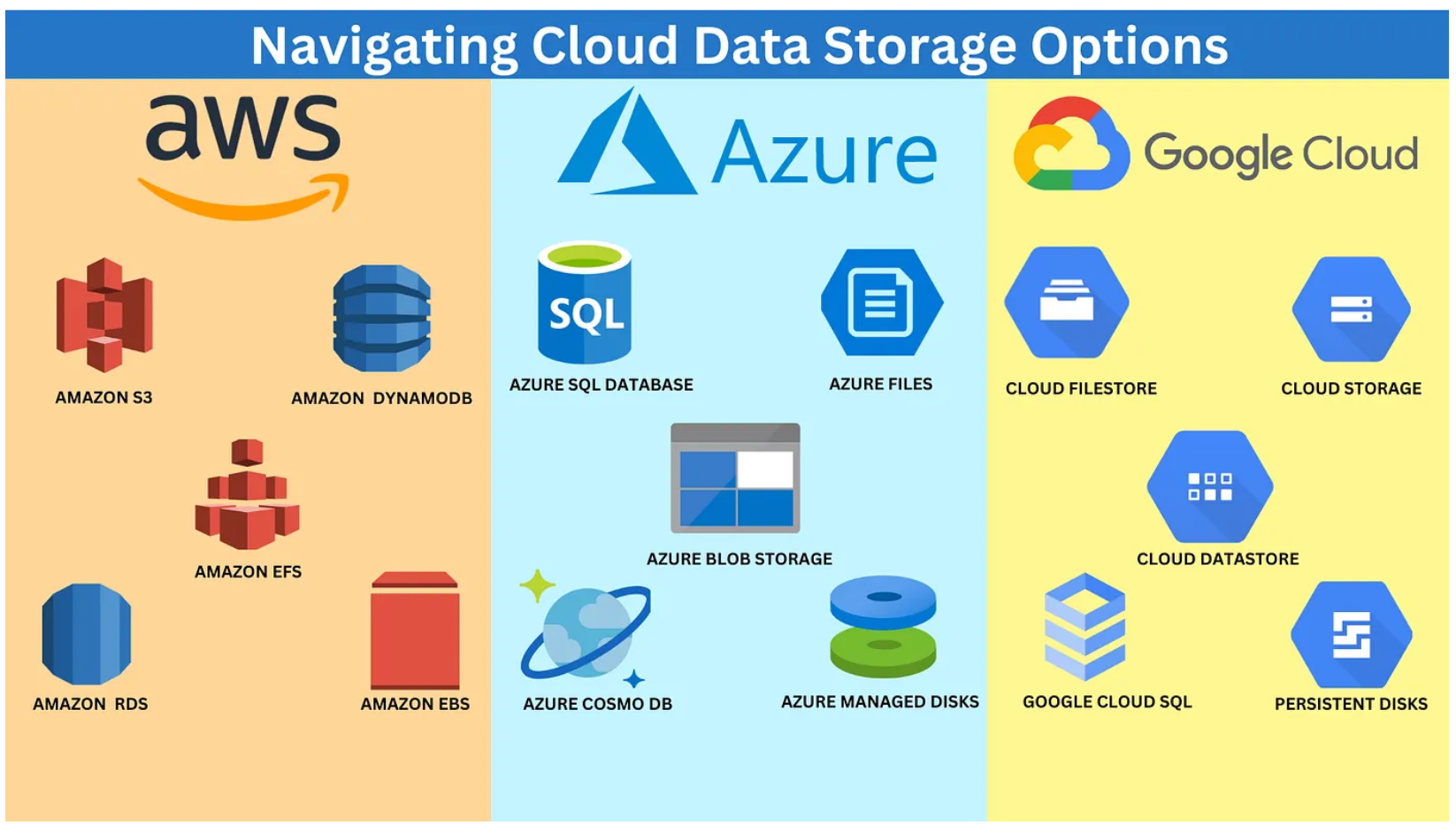
Before writing a single lifecycle rule, you need a clear understanding of the storage classes available on your cloud platform. Each tier has a different cost profile, retrieval latency, and minimum storage duration.
On AWS, S3 offers Standard, Intelligent-Tiering, Standard-IA (Infrequent Access), One Zone-IA, Glacier Instant Retrieval, Glacier Flexible Retrieval, and Glacier Deep Archive. Prices drop significantly as you move toward archival classes. Glacier Deep Archive costs roughly $0.00099 per GB per month compared to $0.023 per GB for S3 Standard. That is a reduction of more than 95 percent.
On Azure, Blob Storage offers Hot, Cool, Cold, and Archive tiers. The Archive tier costs around $0.00099 per GB per month. Moving blobs from Hot to Archive can reduce storage costs by over 90 percent for data that is rarely or never read after a certain age.
On Google Cloud Storage, the equivalent classes are Standard, Nearline, Coldline, and Archive. The cost differential follows a similar pattern.
Understanding these tiers is the prerequisite for every other tip in this guide. Without this knowledge, lifecycle policies are configured blind.
Tip 2: Implement AWS S3 Lifecycle Policies for Every Bucket
AWS S3 lifecycle policies are rules you attach directly to a bucket. They instruct S3 to automatically transition objects to cheaper storage classes or expire them entirely, based on object age or prefix filters.
A well-designed S3 lifecycle policy typically follows a pattern like this: objects remain in Standard for 30 days, transition to Standard-IA at 30 days, move to Glacier Instant Retrieval at 90 days, and are deleted at 365 days. The exact thresholds depend on your access patterns.
You configure AWS S3 lifecycle policies through the AWS Console, the AWS CLI, or Infrastructure as Code tools like Terraform. Using IaC is strongly recommended. It makes policies auditable, version-controlled, and reproducible across environments.
One critical detail: AWS charges a minimum storage duration per tier. Standard-IA has a 30-day minimum. Glacier Flexible Retrieval has a 90-day minimum. If you delete an object before that minimum, you still pay for the full minimum period. Lifecycle policies must account for these minimums to avoid unexpected charges.
Apply lifecycle policies to every bucket, not just your most active ones. The forgotten buckets are often where the most waste accumulates and remains key to storage cost optimization.
Tip 3: Use S3 Intelligent-Tiering for Unpredictable Access Patterns
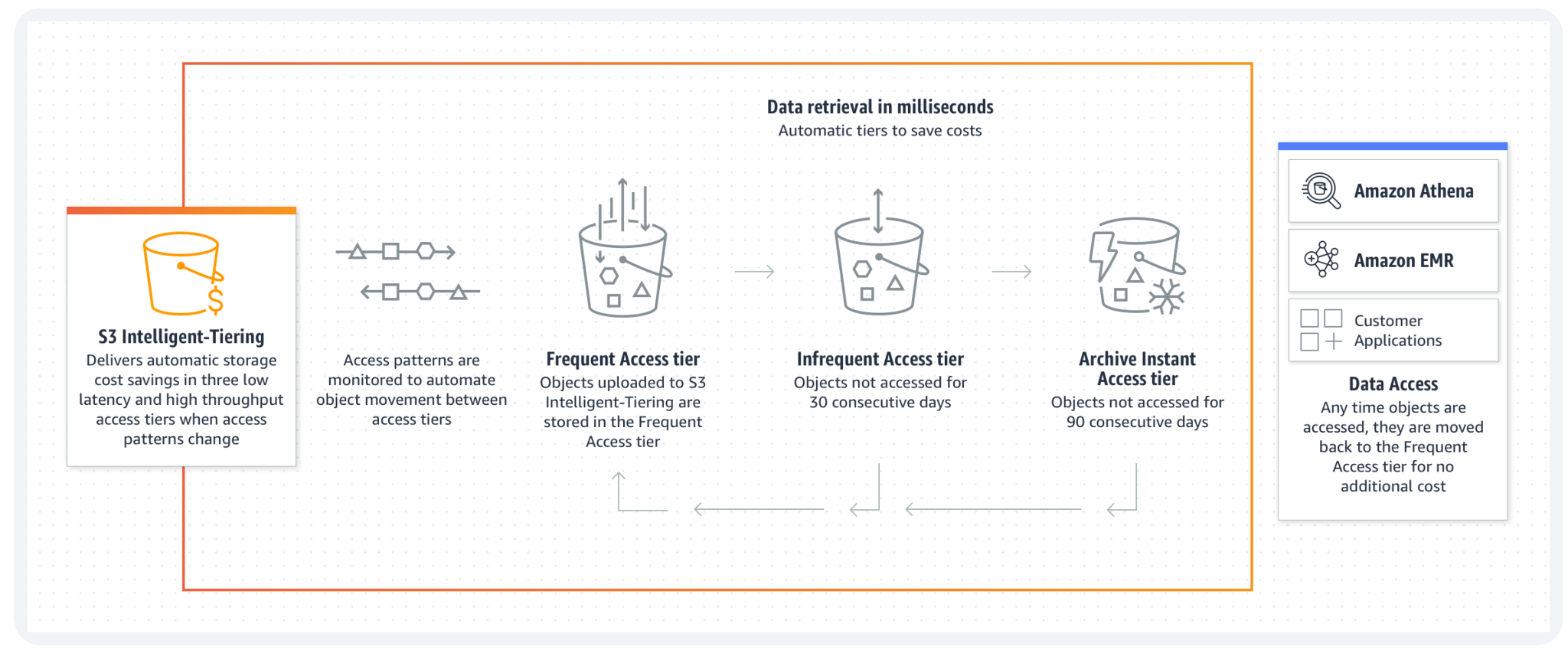
Not all data has predictable access patterns. For workloads where you cannot reliably forecast when objects will be accessed, S3 Intelligent-Tiering is a powerful tool.
S3 Intelligent-Tiering monitors object access patterns automatically. It moves objects between a Frequent Access tier and an Infrequent Access tier at no retrieval cost. For data not accessed in 90 days, it can optionally move objects to Archive Instant Access or Deep Archive tiers.
The management fee is small: $0.0025 per 1,000 objects monitored. For datasets with variable access frequency, this fee is easily offset by the storage savings on infrequently accessed objects.
S3 Intelligent-Tiering is especially useful for data lakes, machine learning datasets, and user-generated content buckets where access patterns vary significantly across objects. It removes the guesswork from lifecycle policy design in these scenarios.
However, it is not always the right choice. For data with well-understood, predictable lifecycles, explicit transition rules remain more cost-effective because they do not incur the per-object monitoring fee.
Tip 4: Apply Azure Blob Tiering Strategically
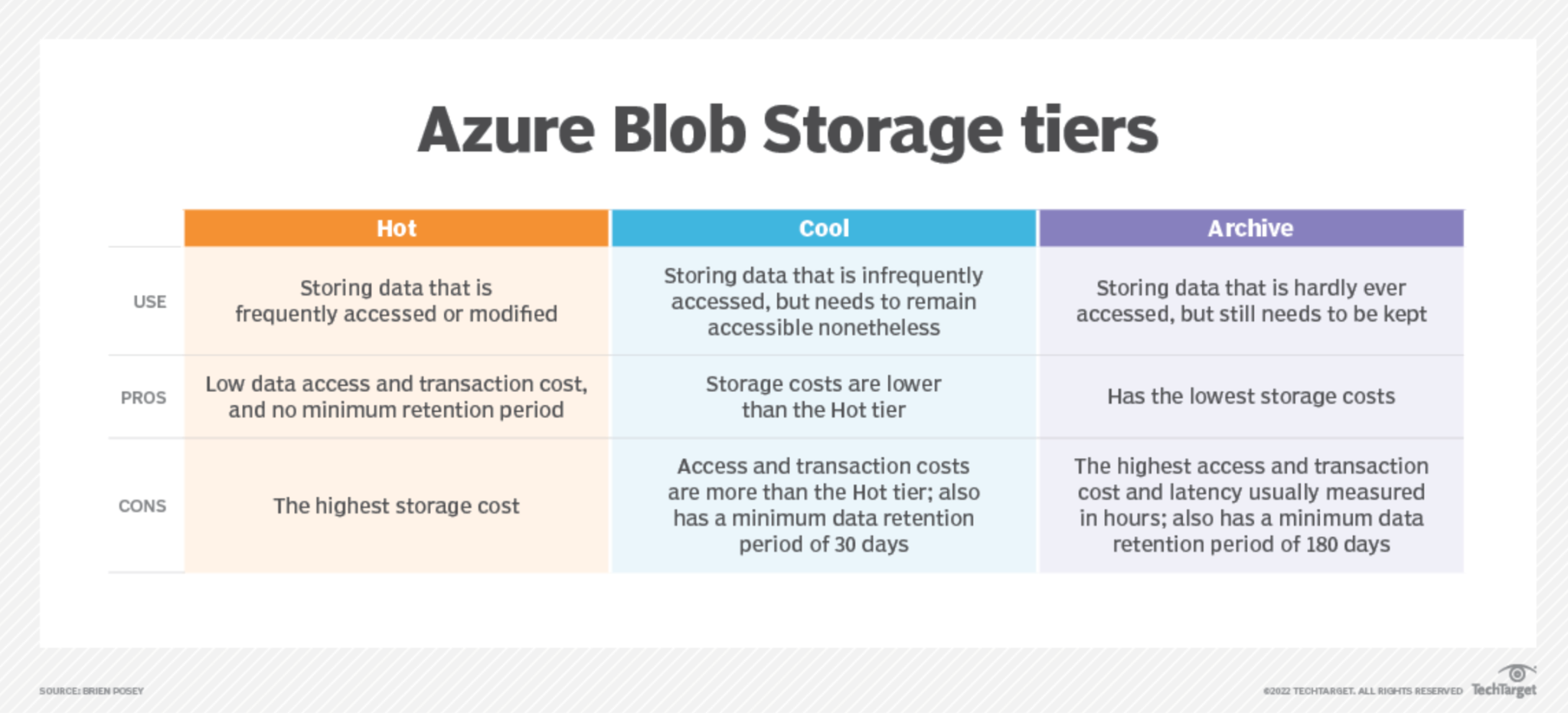
Azure Blob tiering works similarly to AWS S3 lifecycle policies but has its own syntax, cost structure, and important nuances worth understanding.
Azure Lifecycle Management policies are defined in JSON and applied at the storage account level. You can filter by blob name prefix, blob index tags, or last-modified time. A typical policy might keep blobs in the Hot tier for 30 days, move them to Cool at 30 days, to Cold at 90 days, and to Archive at 180 days.
The Archive tier on Azure is the most economical for long-term retention. However, rehydrating blobs from Archive can take up to 15 hours unless you use priority rehydration, which costs more. This latency must be factored into your architecture. Archive is appropriate for compliance data, backups, and historical logs. It is not appropriate for data that might need to be accessed with low latency.
Azure also charges for early deletion. Blobs moved to Cool have a 30-day minimum. Blobs in Cold have a 90-day minimum. Archive has a 180-day minimum. Poor policy design can generate early deletion fees that offset the savings from tiering.
Testing Azure Blob tiering policies in a non-production storage account before applying them to production data is always a good practice.
| Hot tier | Cool tier | Cold tier | Archive tier | |
| Availability | 99.9% | 99% | 99% | 99% |
| Availability(RA-GRS reads) | 99.99% | 99.9% | 99.9% | 99.9% |
| Usage charges | Higher storage costs, but lower access and transaction costs | Lower storage costs, but higher access and transaction costs | Lower storage costs, but higher access and transaction costs | Lowest storage costs, but highest access, and transaction costs |
| Minimum recommended data retention period | N/A | 30 days1 | 90 days1 | 180 days |
| Latency(Time to first byte) | Milliseconds | Milliseconds | Milliseconds | Hours2 |
| Supported redundancy configurations | All | All | All | LRS, GRS, and RA-GRS3 only |
Tip 5: Eliminate Block Storage Waste by Auditing Unattached Volumes
Block storage waste is one of the most common and costly forms of cloud storage inefficiency. It occurs when EBS volumes (on AWS), managed disks (on Azure), or persistent disks (on GCP) remain provisioned after the instances they were attached to have been terminated.
Every cloud provider continues billing for provisioned block storage regardless of whether it is attached to a running instance. A 1 TB EBS gp3 volume costs roughly $80 per month. If it sits unattached for six months, you have spent $480 on nothing.
Auditing for unattached block storage should be a regular practice, ideally automated. On AWS, you can use the AWS CLI to list volumes with a status of “available,” which indicates they are unattached. On Azure, similar queries are available through Azure Resource Graph. On GCP, gcloud compute disks list with the appropriate filter achieves the same result.
Before deleting an unattached volume, always create a snapshot as a safety measure. Snapshots cost significantly less than provisioned volumes and give you a recovery path if the volume is later found to be needed.
Building this audit into your monthly FinOps review cycle is a reliable way to catch and eliminate block storage waste before it compounds. One step at a time each effort contributes to your storage cost optimization.
Tip 6: Automate Snapshot Lifecycle Management
Snapshots are essential for backup and disaster recovery. They are also a significant source of hidden cloud storage cost if their lifecycle is not managed.
Many teams create snapshots regularly but never define a retention policy. Snapshots accumulate indefinitely. On AWS, EBS snapshots are stored in S3 and charged at $0.05 per GB per month. A 500 GB volume snapshotted daily generates enormous storage costs over months and years.
AWS Data Lifecycle Manager (DLM) automates the creation, retention, and deletion of EBS snapshots and AMIs. You define policies that create snapshots on a schedule and automatically delete them after a defined number of days or after a certain number of copies have been retained.
Azure Backup and Azure Snapshot Policies offer equivalent functionality for managed disks. GCP has scheduled snapshot policies built into the console and gcloud.
A sensible default retention policy might keep daily snapshots for 7 days, weekly snapshots for 4 weeks, and monthly snapshots for 6 months. The exact policy should reflect your recovery time objectives and compliance requirements.
The key principle is simple: every snapshot should have a defined expiry. A snapshot with no expiry is a cost liability.
Tip 7: Tag Everything and Enforce Tagging Policies
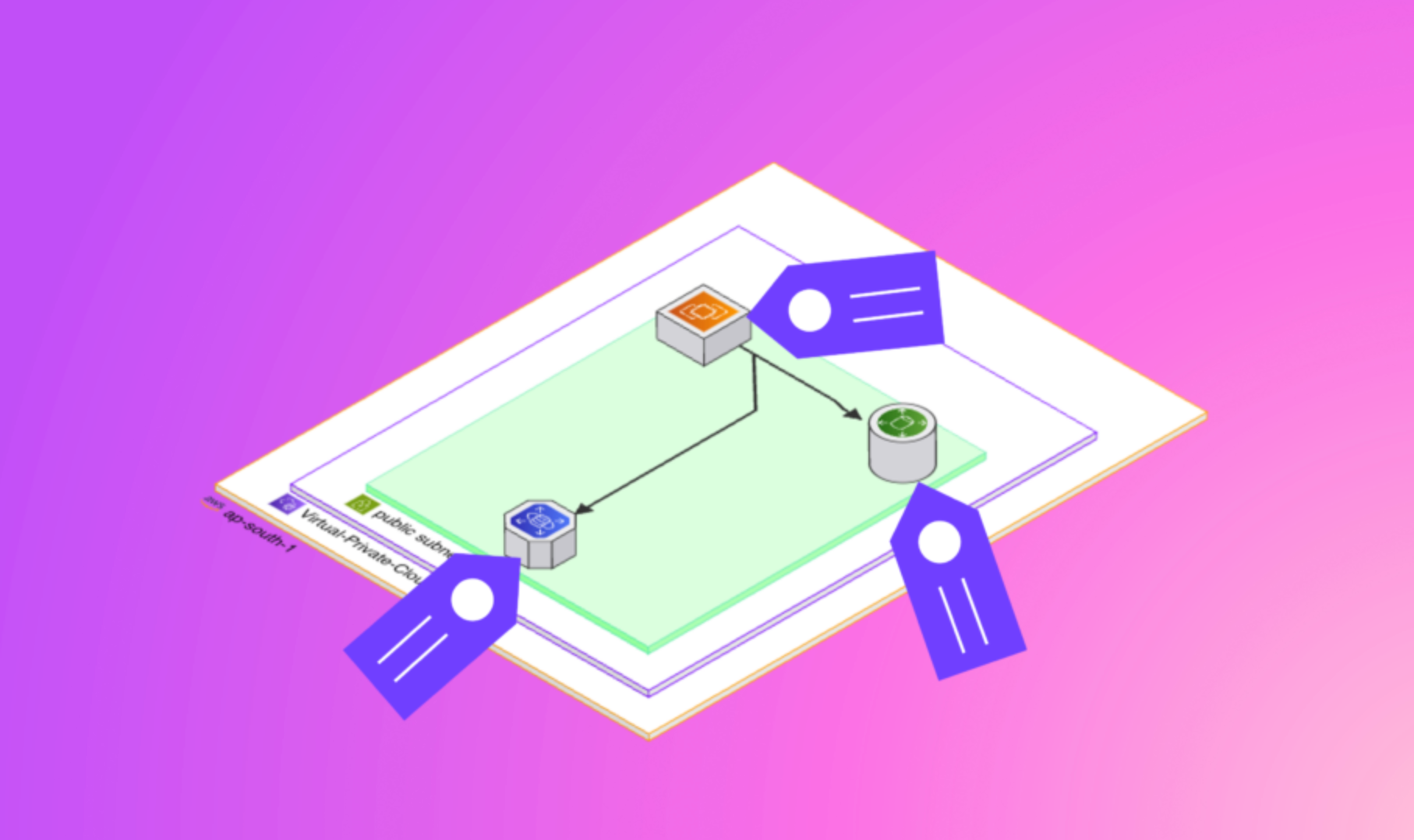
Lifecycle management at scale depends on metadata. Tags are the primary mechanism for identifying, filtering, and automating actions on cloud storage resources.
A robust tagging strategy assigns standard tags to all storage resources at creation time. Common tags include environment (production, staging, development), owner (team or individual), data classification (public, confidential, regulated), and retention policy (30-day, 1-year, permanent).
With consistent tagging, lifecycle policies can be scoped precisely. An S3 lifecycle rule can target only objects with a specific tag. Azure policies can filter by blob index tags. This precision reduces the risk of accidentally archiving or deleting data that should remain accessible.
Tagging also enables cost allocation. When every storage resource carries a team or project tag, your cloud cost reports can show exactly how much each team spends on storage. This visibility is often the first step toward accountability and behavior change.
Enforcing tagging through policy is more reliable than relying on developer discipline. AWS Service Control Policies and Azure Policy both allow you to require specific tags on storage resources at provisioning time. Resources without required tags can be flagged automatically or prevented from being created entirely.
Tip 8: Use Multipart Upload Cleanup Rules to Remove Incomplete Uploads
This tip is often overlooked, but it can generate meaningful savings in active data pipelines.
When you upload large objects to S3, the multipart upload API breaks the file into parts and uploads them in parallel. If the upload process fails or is interrupted, the individual parts remain in S3 and accumulate charges, even though the final object was never assembled.
These incomplete multipart uploads are invisible in most S3 browsing tools. They do not appear as objects in your bucket. Yet AWS charges storage fees for every part.
The fix is straightforward. Add a lifecycle rule with an AbortIncompleteMultipartUpload action to every bucket that receives large uploads. A typical rule aborts incomplete uploads after 7 days. This ensures that failed uploads do not silently accumulate cost.
Azure has a similar concept with uncommitted blocks in Azure Blob Storage. Uncommitted blocks that are not committed within 7 days are automatically deleted by Azure, but it is worth verifying that your upload logic handles failures cleanly.
For high-throughput data ingestion pipelines, cleaning up incomplete multipart uploads can save hundreds of dollars per month.
Tip 9: Leverage Storage Access Analytics Before Designing Lifecycle Rules
One of the most common mistakes in lifecycle policy design is defining transition thresholds without data. If you move objects to Standard-IA after 30 days but 40 percent of those objects are still being accessed between days 30 and 60, you will incur retrieval fees that offset your savings.
Storage access analytics let you make data-driven decisions about transition thresholds.
AWS S3 Storage Lens provides account-wide visibility into storage usage and access patterns. S3 Analytics (available per bucket) specifically tracks access patterns and generates recommendations for when to transition objects to Standard-IA. It requires at least 30 days of data to generate reliable recommendations.
Azure Monitor and Azure Storage Insights provide access frequency data for Blob Storage. GCP offers Cloud Storage insights through Cloud Monitoring.
The correct workflow is to enable analytics first, wait for at least 30 days of data collection, review the access frequency distribution, and then design your lifecycle rules around the actual data. This approach maximizes savings while minimizing unexpected retrieval costs.
Data-driven lifecycle management consistently outperforms policy rules designed by assumption.
Tip 10: Build a Regular Cloud Storage Cost Optimization Review

Lifecycle policies are not a set-and-forget solution. Data growth patterns change. New workloads appear. Old policies become misaligned with actual usage. A regular review cycle keeps your storage configuration aligned with your cost goals.
A monthly cloud storage cost optimization review should cover several areas. First, check for new untagged resources that fall outside existing lifecycle policies. Second, review storage usage trends and identify buckets or accounts with unexpectedly rapid growth. Third, audit unattached block storage and snapshot counts. Fourth, verify that lifecycle policies are functioning as expected by checking transition and expiration activity logs.
Integrating this review into your FinOps practice ensures that storage cost optimization is continuous rather than episodic. One-time cleanup projects deliver value, but recurring reviews deliver compounding value over time.
Automating parts of this review, such as alerting on unattached volumes or flagging buckets without lifecycle policies, reduces the manual effort required and improves consistency.
Setting storage cost budgets with alerts in AWS Budgets or Azure Cost Management adds an additional safety net. When storage costs exceed a defined threshold, alerts trigger before costs become a serious problem.
How Holori Can Help You Optimize Cloud Storage
Implementing all ten of these tips manually across a multi-cloud environment is complex and time-consuming. Holori is built specifically to make cloud cost optimization systematic, visible, and actionable.
Holori provides a unified view of your cloud infrastructure across AWS, Azure, and GCP. From a single dashboard, you can identify unattached volumes, visualize storage tier distribution, and spot buckets or disks that lack lifecycle policies. Instead of querying each cloud provider’s native tools separately, Holori aggregates the data into one place.
Holori’s cost analysis capabilities let you drill into storage spend by tag, account, region, or resource type. This makes it straightforward to identify which teams or projects are driving storage costs and where the optimization opportunities are largest.
For organizations running multi-cloud architectures, Holori’s infrastructure mapping also helps you understand data flows and storage dependencies. This context is invaluable when designing lifecycle policies that need to account for how data is accessed across services.
If you want to move from reactive cloud cost management to a proactive, continuous optimization practice, Holori gives you the visibility and tooling to do it efficiently. You can explore Holori’s features at holori.com and see how it fits into your cloud cost optimization workflow.
Conclusion
Cloud storage lifecycle management is not optional for organizations serious about cloud storage cost optimization. Without it, storage costs grow unchecked as data accumulates in expensive tiers, snapshots multiply without expiry, and unattached block volumes sit idle.
The ten tips in this guide cover the full lifecycle management stack: from understanding storage tiers and implementing AWS S3 lifecycle policies, to auditing block storage waste, automating snapshot management, and building a continuous review process. Each tip is independently valuable. Together, they form a comprehensive framework for keeping storage costs under control.
The fundamentals are consistent across platforms. Data that is not accessed should not sit in your most expensive tier. Data that will never be accessed again should be deleted. Every storage resource should have a lifecycle policy. And every policy should be reviewed regularly.
Start with the areas where your current spend is highest. Apply lifecycle rules to your largest buckets first. Audit for unattached volumes. Enable access analytics. Then build from there.
Cloud storage cost optimization is a continuous practice. The teams that do it well save significantly more over time than those who treat it as an occasional cleanup task.