Block storage is one of the most consistently overprovisioned categories in cloud infrastructure. Unlike object storage where you pay for what you actually store, block storage is provisioned: you allocate a volume of a certain size, performance tier, and IOPS level, and you pay for that allocation whether or not your application uses it. The gap between what is provisioned and what is actually consumed is where most of the waste lives.
Industry data consistently shows that average disk utilization across cloud environments sits between 25 and 35%. That means organizations are routinely paying for two to three times the storage capacity their workloads actually need. Add unattached volumes, accumulated snapshots without retention policies, and overprovisioned IOPS on volumes that never approach their performance ceiling, and block storage cost optimization becomes one of the highest-leverage exercises a DevOps or platform team can run.
This guide covers how to approach block storage cost optimization across AWS EBS, Azure Managed Disks, and GCP Persistent Disks using consistent principles across all three providers.
Why Block Storage Is Different From Object Storage
The distinction matters because the optimization strategies are fundamentally different.
With object storage (S3, Azure Blob, GCS), you pay for actual bytes stored. Waste comes from keeping data in the wrong tier or failing to delete data that is no longer needed. The levers are tiering and lifecycle policies.
With block storage, you pay for provisioned capacity regardless of usage. A 500 GB EBS volume attached to an EC2 instance costs the same whether it is 10% full or 90% full. IOPS and throughput are also provisioned separately on some volume types, meaning you can be paying for performance headroom that your application never actually demands.
This provisioned model means the optimization questions are different:
- Are the volumes the right size for what is actually stored on them?
- Are the IOPS and throughput settings matched to actual workload demand?
- Are all volumes attached to a running instance, or are some orphaned?
- Are snapshots being retained indefinitely, or do retention policies exist?
- Are volumes on the right performance tier for their workload, or are they over-specified by default?
AWS EBS: The gp2 to gp3 Migration Is Still the Fastest Win
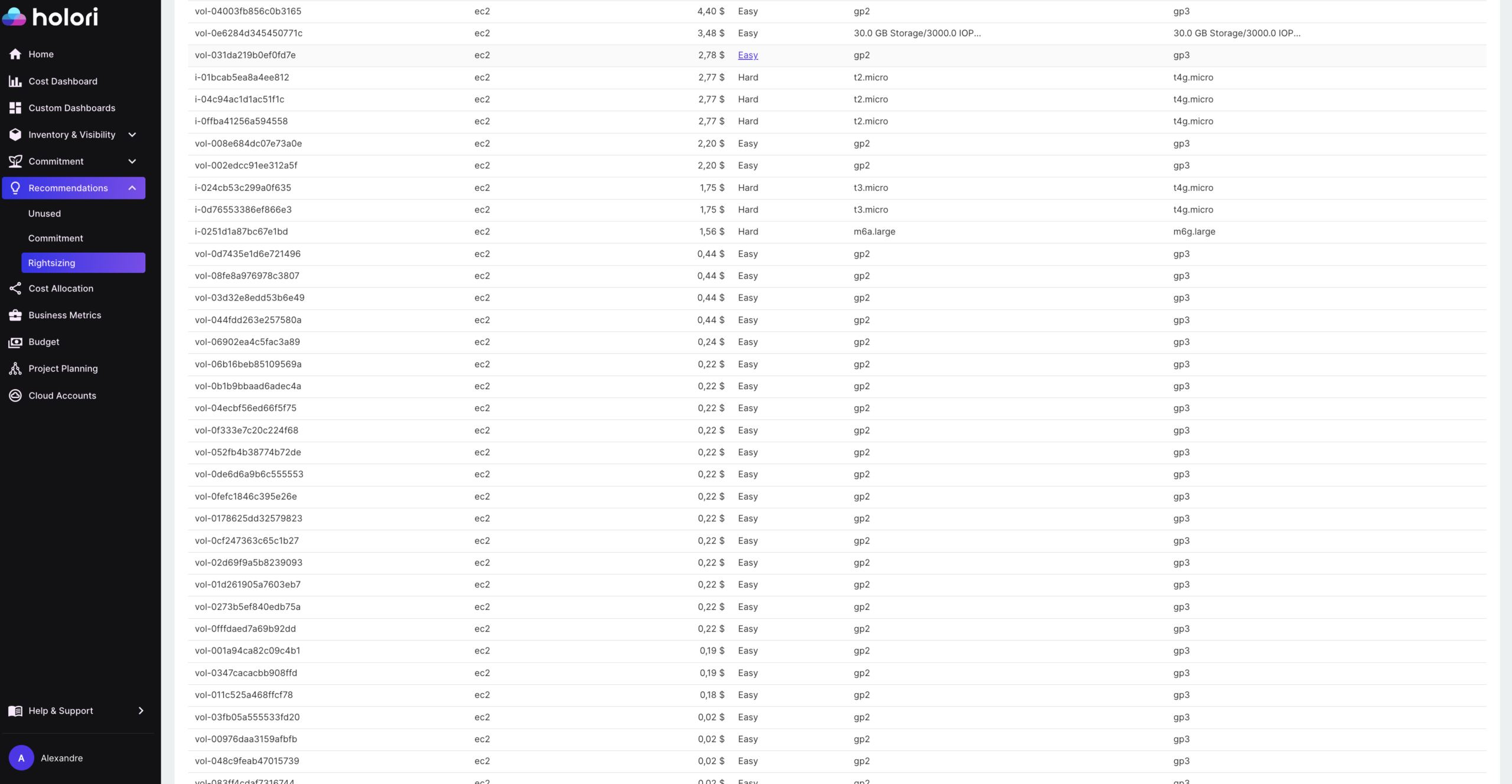
EBS offers several volume types, but for most general-purpose workloads the relevant choice is between gp2 and gp3. If your environment still has gp2 volumes, migrating them to gp3 is the single fastest block storage cost optimization available on AWS.
gp3 costs $0.08 per GB per month in US East. gp2 costs $0.10 per GB per month. That is a 20% reduction in storage cost for the same capacity, with no performance downgrade. In fact, gp3 provides a higher baseline performance: 3,000 IOPS and 125 MB/s throughput are included at no extra charge, compared to gp2’s burst-based model which can throttle under sustained load.
The critical difference between gp2 and gp3 is that gp3 decouples IOPS and throughput from volume size. With gp2, the only way to get more IOPS was to increase the volume size (3 IOPS per GB, up to 16,000 IOPS). This meant teams often inflated volume sizes purely for performance reasons, paying for storage capacity they did not need. With gp3, you can provision up to 16,000 IOPS and 1,000 MB/s throughput independently of the volume size. A 100 GB gp3 volume can have the same IOPS as a 5 TB gp2 volume if the workload requires it.
The migration is non-disruptive. You can modify a running EBS volume from gp2 to gp3 without detaching it or stopping the instance. The change takes effect after a brief optimization period.
For high-performance workloads using io1 or io2 volumes (Provisioned IOPS SSDs), the optimization question is whether the provisioned IOPS match actual demand. io2 volumes cost $0.125 per GB per month plus $0.065 per provisioned IOPS per month. An io2 volume provisioned at 10,000 IOPS but consistently using 2,000 is paying for 8,000 IOPS of idle performance. CloudWatch metrics for VolumeReadOps and VolumeWriteOps give the data needed to right-size these volumes accurately.
Unattached Volumes: Paying for Storage With No Instance
When an EC2 instance is terminated, the EBS volumes attached to it are not automatically deleted unless the volume was configured with the “delete on termination” flag set at instance creation. In many environments, that flag is not set by default, which means terminated instances leave orphaned volumes that continue to accrue charges indefinitely.
The same problem exists across all three providers:
- On Azure, Managed Disks that are not attached to a running VM continue to be billed at their full provisioned rate. A Premium SSD p30 disk (1 TB) costs around $122 per month whether or not anything is using it.
- On GCP, Persistent Disks remain billed after the VM they were attached to is deleted, unless the disk itself is explicitly deleted.
Auditing for unattached volumes is straightforward on each provider. On AWS, filtering EBS volumes by state “available” (as opposed to “in-use”) returns all volumes with no current attachment. On Azure, filtering Managed Disks by “Disk state: Unattached” in the portal or via the CLI gives the same result. On GCP, listing disks and filtering for those with no users returns unattached Persistent Disks.
Before deleting anything, it is worth taking a snapshot as a safety checkpoint, particularly for volumes that were detached recently. After a defined review period (typically 30 days), volumes that have not been reclaimed can be safely deleted.
Setting the “delete on termination” flag as a default for new instances, enforced through infrastructure-as-code templates or cloud policy, prevents the problem from recurring.
Snapshot Sprawl: The Accumulation Problem
Snapshots are incremental, meaning each snapshot only stores the blocks that changed since the previous one. This makes individual snapshots cheap. But without a retention policy, snapshots accumulate over months and years, and the cumulative cost of thousands of old snapshots can become significant.
The most common cause is automated snapshot policies with no expiry configured. A policy that creates a daily snapshot of every production volume but never deletes old ones will have, after a year, 365 snapshots per volume. Even with incremental storage, the cost compounds.
AWS Data Lifecycle Manager (DLM) can enforce retention periods on snapshot policies, automatically deleting snapshots older than a defined threshold. A typical production configuration might retain 7 daily snapshots, 4 weekly snapshots, and 12 monthly snapshots, deleting everything older.
Azure Backup and Azure Disk snapshot policies have equivalent retention configuration. GCP snapshot schedules support retention policies that automatically delete snapshots beyond a specified count or age.
For environments without existing retention policies, a one-time audit is the first step. On AWS, aws ec2 describe-snapshots --owner-ids self lists all account-owned snapshots with creation dates, making it easy to identify snapshots that are months or years old with no defined owner or purpose.
Azure Managed Disks: Choosing the Right Tier
Azure offers a wider range of disk types than EBS, and the right choice depends heavily on the workload. The tiers from cheapest to most expensive are:
- Standard HDD: Suitable for backups, non-critical workloads, and dev/test environments where latency is not a concern.
- Standard SSD: A step up for workloads that need consistent performance but do not require the throughput of Premium. Good for lightly used web servers or low-traffic applications.
- Premium SSD: For production workloads requiring consistent low latency and high throughput. Performance is tied to disk size (larger disks get more IOPS and throughput).
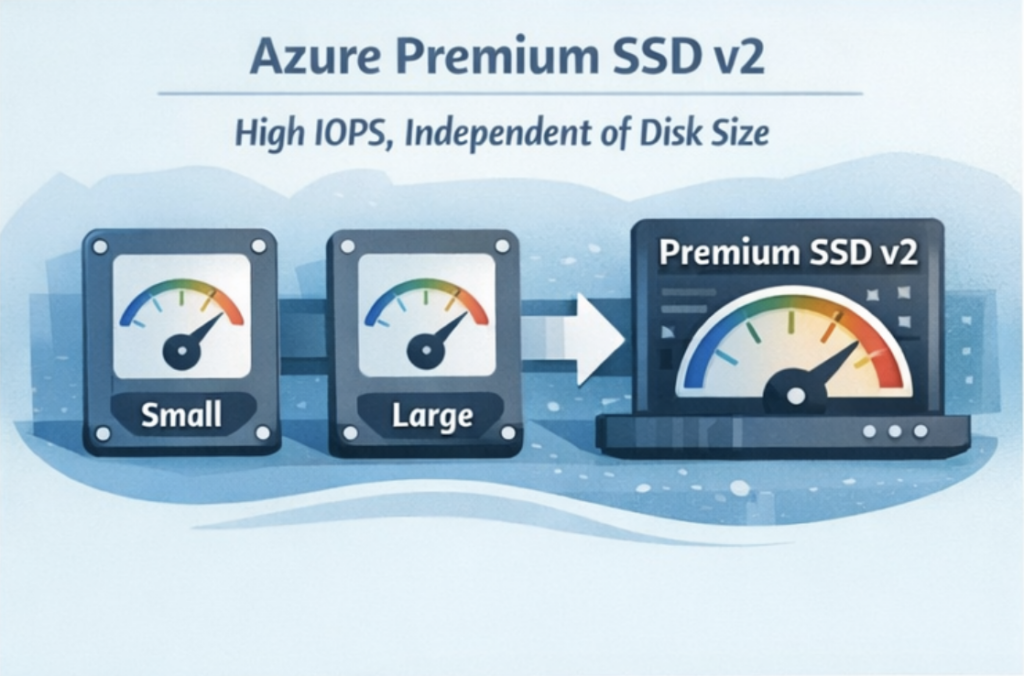
- Premium SSD v2: The most flexible option, allowing IOPS and throughput to be configured independently of disk size, similar to EBS gp3. This makes it the right choice for workloads with high performance requirements that do not need large storage capacity.
- Ultra Disk: For the most demanding workloads (large databases, high-frequency trading systems). Significantly more expensive and requires specific VM types.
The most common waste pattern on Azure is Premium SSD deployed by default across all workloads, including dev/test environments and low-traffic internal tools that would perform identically on Standard SSD at a fraction of the cost. Reviewing disk tier assignments by workload type and downgrading non-production or low-utilization disks to Standard SSD is typically the fastest Azure block storage cost reduction available.
GCP Persistent Disks: Zonal vs Regional and Disk Type Trade-offs
GCP Persistent Disks come in four main types: Standard (HDD), Balanced (SSD), SSD, and Hyperdisk. For most workloads, Balanced is the right default: it provides SSD performance at a lower cost than the SSD tier, with enough IOPS and throughput for the majority of application workloads.
The zonal vs regional choice has a direct cost implication. Regional Persistent Disks replicate data synchronously across two zones within a region, providing higher availability for stateful workloads. They cost approximately twice as much as zonal disks of the same type and size. For workloads that do not require zone-level redundancy (dev environments, batch processing, non-critical services), zonal disks are sufficient and significantly cheaper.
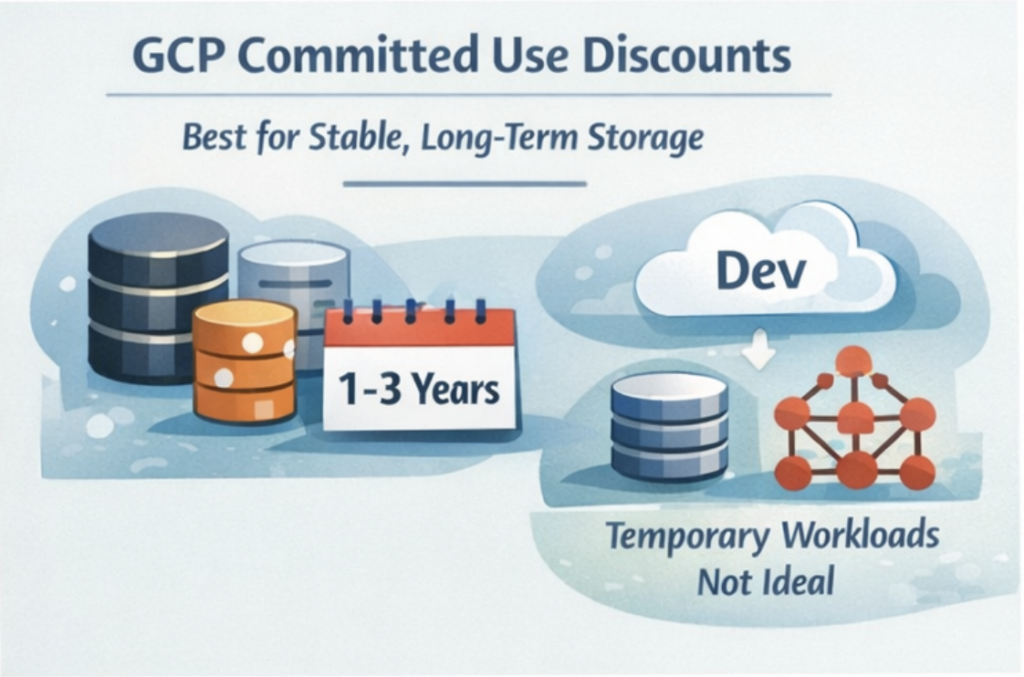
GCP also offers Committed Use Discounts (CUDs) for Persistent Disks. A one-year commitment on disk capacity provides around 37% discount compared to on-demand pricing. For stable, predictable storage needs like database volumes or persistent application storage, committing to a one-year CUD is straightforward to justify.
Hyperdisk, GCP’s newest block storage option, allows IOPS and throughput to be provisioned independently from capacity, following the same pattern as EBS gp3 and Azure Premium SSD v2. For high-performance workloads that were previously forced to over-provision disk size purely to access higher IOPS, Hyperdisk can reduce costs significantly.
How Holori Helps Optimize Block Storage Cost
Block storage cost optimization across multiple cloud providers requires visibility that native tools do not provide out of the box. AWS Cost Explorer, Azure Cost Management, and GCP Billing each surface their own block storage costs separately, in different formats, with different levels of resource-level granularity.
Holori normalizes block storage spend across all three providers into a single view, making it possible to see EBS, Managed Disk, and Persistent Disk costs alongside each other with consistent cost attribution. Virtual tags let you allocate disk costs to the teams, products, or environments that own the underlying instances, which is essential for identifying whether a specific team or application is responsible for overprovisioned or orphaned storage.
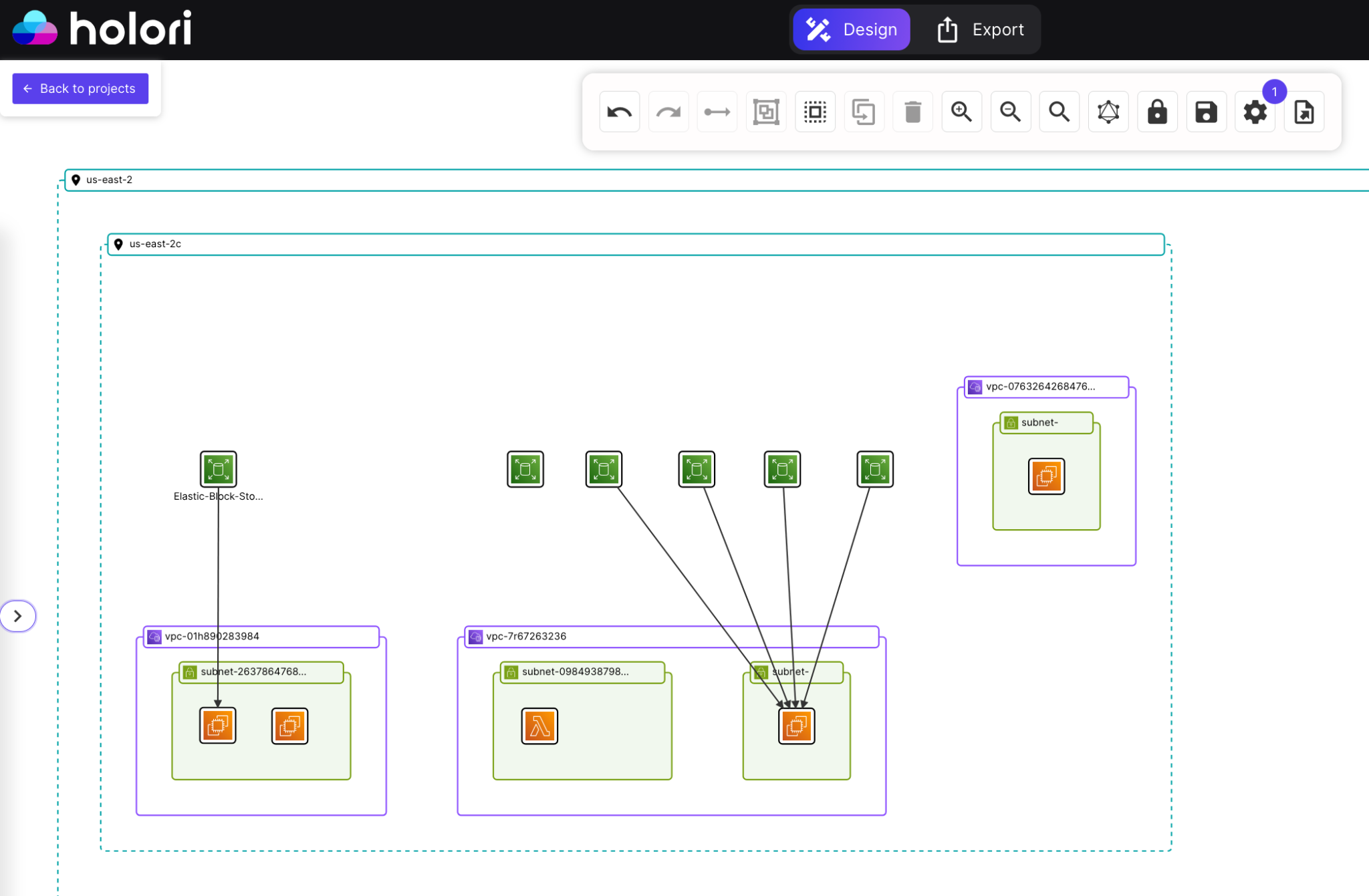
Beyond cost data, Holori also generates an infrastructure diagram of your cloud environment that makes the attached and unattached disk problem immediately visual. Rather than running CLI commands and parsing lists of volume IDs, you can see your instances and their associated volumes rendered as a diagram, with arrows showing which disks are attached to which instances. Unattached volumes appear with no connection arrow, making them instantly identifiable without any manual filtering or scripting. For teams managing large environments with hundreds of instances across multiple accounts or providers, this visual layer is significantly faster than auditing programmatically.
Anomaly detection flags unexpected cost movements in real time. An autoscaling event that provisions a large number of new volumes, a snapshot policy that starts running more frequently than expected, or a batch of unattached disks accumulating after a wave of instance terminations: these appear as cost anomalies before they compound across the full billing cycle.
For FinOps teams building unit cost metrics, Holori surfaces block storage spend at the resource level alongside compute costs, making it possible to understand the true infrastructure cost of running a workload rather than treating compute and storage as separate line items.
Conclusion: How to optimize block storage costs
Block storage waste is almost entirely a visibility problem. The optimization strategies themselves are straightforward: migrate gp2 to gp3, delete unattached volumes, enforce snapshot retention, downgrade dev workloads from Premium to Standard tiers. None of these require significant engineering effort or carry meaningful risk. What prevents most teams from executing them is simply not knowing where the waste is.
The provisioned billing model makes this harder than it should be. Unlike compute or object storage, where underutilization shows up fairly quickly in utilization metrics or access logs, overprovisioned block storage just sits there looking normal. A volume that is 15% full charges the same as one that is 90% full. A snapshot policy that has been running for three years without retention looks identical to a well-governed one until someone counts the snapshots.
The teams that keep block storage costs under control treat it as a regular operational practice rather than a one-time cleanup project. They audit unattached volumes monthly, enforce snapshot retention through policy rather than manual review, use infrastructure-as-code to set sensible defaults at provisioning time, and review disk tier assignments whenever workloads change. Build those habits into your standard operating procedures and block storage cost optimization becomes maintenance rather than firefighting.
Frequently Asked Questions
What is the difference between block storage and object storage in cloud cost terms?
Object storage bills for actual bytes stored. Block storage bills for provisioned capacity regardless of how full the volume is. This means block storage waste is invisible unless you actively audit utilization, while object storage waste tends to show up more directly in billing data as growing storage volumes.
Is migrating from gp2 to gp3 on AWS risky?
No. The migration can be performed on a live, attached volume without stopping the instance or causing downtime. AWS applies the change through a background optimization process. gp3 also provides higher baseline performance than gp2 at a lower cost, so there is no performance trade-off for general-purpose workloads.
How do I find unattached EBS volumes in AWS?
In the AWS Console, go to EC2, then Volumes, and filter by state “available.” These are volumes not currently attached to any instance. You can also run aws ec2 describe-volumes --filters Name=status,Values=available via the CLI to get a full list with creation dates and sizes.
When should I use Azure Premium SSD v2 instead of Premium SSD?
Premium SSD v2 allows IOPS and throughput to be configured independently of disk size, making it the right choice when your workload needs high performance but does not need large storage capacity. Premium SSD ties performance to disk size, which forces teams to overprovision capacity purely to access higher IOPS.
Do GCP Persistent Disk Committed Use Discounts make sense for all workloads?
Only for storage that is predictable and stable over a one or three year horizon. Database volumes, persistent application storage, and infrastructure disks that are unlikely to be deleted or significantly resized are good candidates. Dev environments, temporary workloads, or disks tied to autoscaling groups are better left on on-demand pricing.