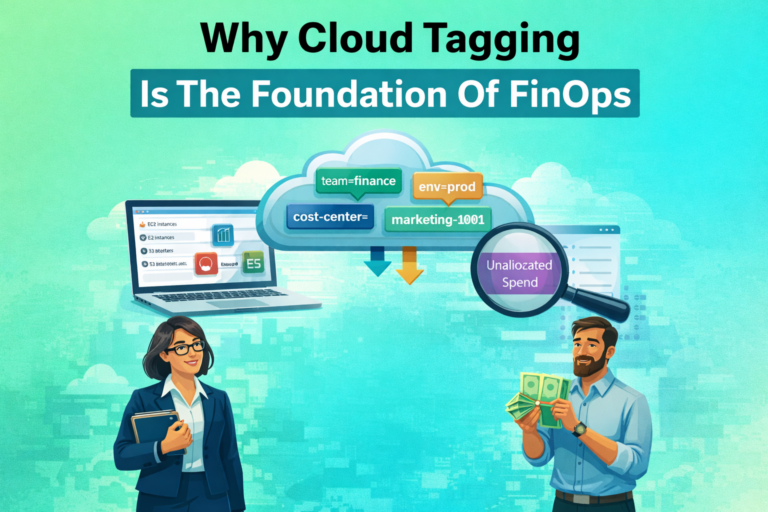
You log into a cloud account and find hundreds of EC2 instances, storage buckets, databases, and load balancers. Nobody on the team can tell you who owns what, why half of them exist, or which project they belong to. The bill keeps rising and there is no reliable way to map spending to teams or business units.
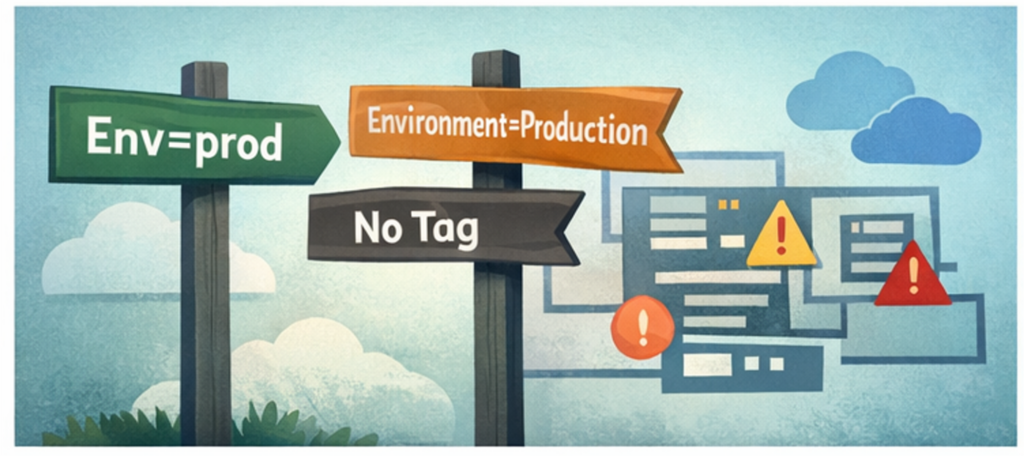
This is not a niche problem. It is the default state for any organization that grows its cloud footprint without a tagging framework in place. The issue is never that tags are technically hard to apply. It is that without standards, enforcement, and governance, tags become inconsistent, incomplete, and ultimately useless. One team uses Env=prod, another uses Environment=Production, and a third does not tag at all. Automation breaks. Finance cannot allocate costs. Security cannot scope policies.
Tagging is not cosmetic. It is the foundational data layer for cost control, governance, and automation in cloud environments. Without it, every downstream FinOps initiative operates on incomplete information.
This guide covers the full picture: why tagging matters, the challenges that prevent organizations from getting it right, how to design a taxonomy that scales, how to enforce it, and how to handle the gaps that traditional tags cannot reach.
Why Cloud Tagging Is the Foundation of FinOps
A tag is a key-value pair attached to a cloud resource. “environment=prod” or “cost-center=engineering-12345” are typical examples. AWS calls them tags, GCP calls them labels, and Azure supports both depending on the resource type. The concept is simple. The execution is where most organizations struggle.
Tags do not affect how a resource runs. What they do is provide the context that connects infrastructure to business decisions. Without consistent tags, a cloud bill is just a list of totals. With them, you can break spending down by team, environment, product, or business unit. You can automate lifecycle policies, route incident alerts, enforce compliance boundaries, and implement attribute-based access control. Every one of these capabilities depends on the same thing: accurate, consistent, enforced metadata.
The FinOps Foundation consistently identifies unallocated spend as one of the top challenges for practitioners at every maturity level. The root cause is almost always tagging. Organizations that cannot answer which team owns this resource have no reliable foundation for optimization, forecasting, or accountability.
Common Tagging Challenges That Break Cost Visibility
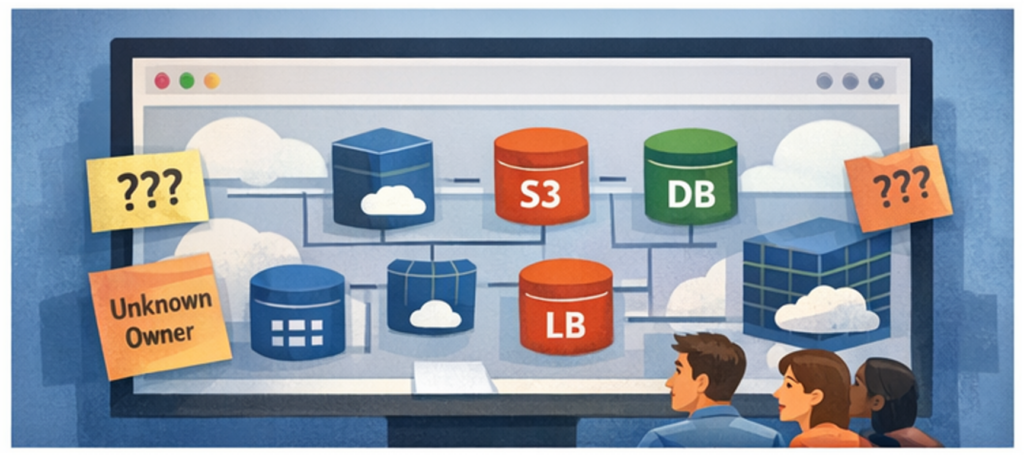
Understanding where tagging fails is as important as knowing what to do. Most of these challenges are organizational rather than technical.
- Inconsistent naming conventions across teams. When different business units define their own conventions independently, the result is fragmented data. “Prod,” “production,” and “Production” are treated as entirely different values by every cost management tool. Cost reports break and automation scripts silently miss resources. The fix requires not just a policy document but enforcement in code.
- Missing or incomplete tags on provisioned resources. Tags created incorrectly or partially do not surface in billing reports. A resource with an “owner” tag but no “cost-center” tag is still unallocatable. Coverage needs to be measured per tag key, not just as a binary tagged or untagged.
- No enforcement from leadership. Without executive support, tagging policies are treated as optional by engineering teams operating under delivery pressure. Tagging becomes the first thing dropped when a deadline approaches. Without buy-in, standards exist only on paper.
- No centralized tag governance. When teams cannot easily find the tagging policy, they invent their own conventions. A centralized tag dictionary that serves as the single source of truth is the foundation of any effective framework.
- Multi-cloud inconsistencies. Each provider has different character limits, naming restrictions, and billing behaviors. AWS allows up to 50 tags per resource and only activated tags appear in Cost Explorer. Azure applies tags differently at the resource group versus individual resource level. GCP labels require lowercase letters and stricter character rules. A taxonomy designed for one provider will break on another without explicit cross-provider mapping.
- Tags not propagating automatically. Infrastructure as Code tools do not always propagate tags to child resources. An EC2 instance might be tagged correctly while its attached EBS volumes are not, creating invisible gaps in coverage.
- Legacy untagged resources. Most organizations do not start with a clean slate. They inherit hundreds or thousands of resources created before any policy existed, with no clear owner and no tagging history to work from.
- Conflicts between engineering autonomy and tagging standards. Engineers working under tight deadlines will skip tagging if it is not automated and embedded in their workflow. Any strategy that depends on manual discipline at provisioning time will fail at scale.
- Data exposure through tags. Tags appear in APIs, billing exports, and logs. Placing sensitive data such as customer names or PII in a tag value leaks that data far more broadly than intended. Tags should contain identifiers and metadata, never sensitive content.
Building Your Tag Taxonomy
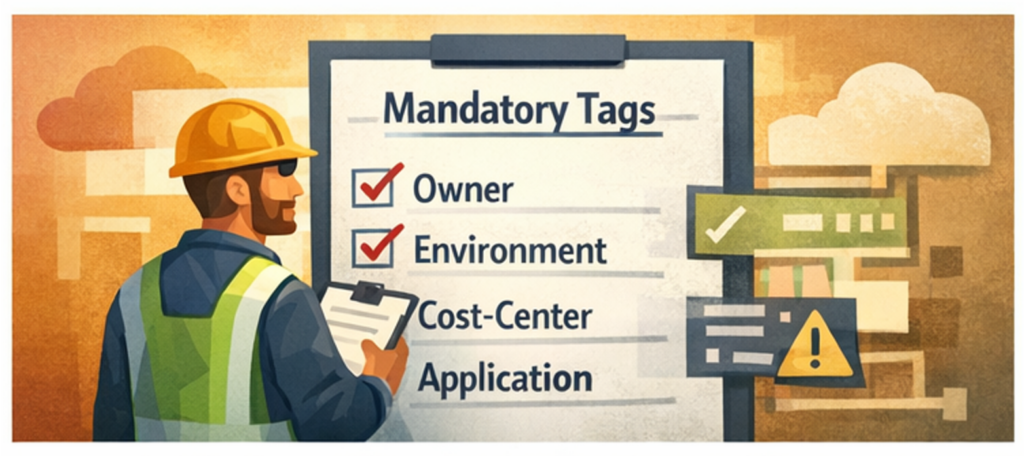
The first decision is what to track. Starting too small leaves you without the granularity to allocate costs meaningfully. Starting too ambitious, with twenty required tags on day one, guarantees poor coverage as teams route around the complexity. A practical starting point is five to eight mandatory tags.
A useful framework for structuring them comes from Microsoft’s tag categorization model, which groups tags into five purpose-driven categories. This forces every tag to serve a clear function rather than accumulating as miscellaneous metadata.
- Functional tags describe what the resource does and how it runs. Examples: “environment” (dev, staging, prod), “application” or “service” (the product or service the resource supports). These are the tags most directly used by automation and operations.
- Classification tags describe the sensitivity and risk profile of the resource. Examples: “data-classification” (public, internal, confidential, pii), “criticality” (low, medium, high). These are what security and compliance teams depend on for policy enforcement.
- Accounting tags connect resources to financial structures. Examples: “cost-center,” “department.” These must match your internal finance system exactly, because they are the values used to generate chargeback and showback reports.
- Purpose tags describe the business context. Examples: “project,” “business-process,” “sla.” These connect infrastructure spend to business initiatives rather than just technical services.
- Ownership tags identify accountability. Examples: “owner” (a team distribution list, not a personal email), “ops-contact.” These ensure anyone looking at a resource during an incident knows exactly who to reach.
Within these categories, mandatory tags are the non-negotiable baseline every resource must carry. Optional tags extend the framework for specific use cases like disaster recovery classification, patch scheduling, or backup frequency. The minimum viable mandatory set for most organizations is: owner, environment, cost-center, and application. Everything else can be layered in once these four are consistently applied and enforced.
Naming Conventions and Allowed Values
Naming conventions deserve as much attention as which tags to require. Mixed cases, abbreviations versus full names, and plural versus singular: these inconsistencies accumulate quickly and make tag-based filtering unreliable.
- Keys should use lowercase with hyphens as separators: “cost-center” and “dr-class,” not “CostCenter” or “cost_center.”
- Values should be short and normalized rather than free text. Define an explicit allowed list for high-traffic keys: dev, staging, prod. No “Prod,” no “production,” no “Production.” These look similar in a console but are stored differently and will break cost reports and automation jobs.
- Ambiguous spellings must be explicitly banned in your tag dictionary. “Environment must be exactly one of: dev, staging, prod (lowercase)” is enforceable in code. “Use a consistent environment tag” is not.
Enforcing Tags at the Source
The only scalable approach to tag enforcement is preventing untagged or incorrectly tagged resources from being created in the first place. Retroactive tagging is always catch-up work. Enforcement should be layered across three mechanisms:
- Infrastructure as Code validation. When your Terraform modules, CloudFormation templates, or Pulumi stacks have required tag variables built in with validation rules, engineers cannot provision resources without supplying them. Terraform supports validation blocks directly in variable definitions that cause a plan to fail immediately if an invalid value is passed. A plan that rejects “stage” as a value for “environment” and requires “staging” enforces the naming convention before any resource reaches the cloud.
- Cloud-native policy enforcement. AWS Service Control Policies can deny resource creation at the organization level when required tags are absent. Azure Policy supports deny effects that block non-compliant resources and modify effects that automatically append missing tags. GCP Organization Policy constraints apply similar restrictions with tag keys and values defined centrally at the org or folder level.
- CI/CD pipeline validation. Before infrastructure changes are applied, a validation step verifies that all resources in a plan carry the required tags in the correct format. This catches issues before they reach the cloud provider, which is faster and generates clearer error messages for developers.
A note on enforcement strategy: hard enforcement, denying on missing or invalid tags, is effective but can slow teams down if the policy is not well understood. Starting with soft enforcement, warning on violations and escalating after a grace period, gives teams time to adapt before hard blocks are introduced.
Measuring and Monitoring Tag Coverage
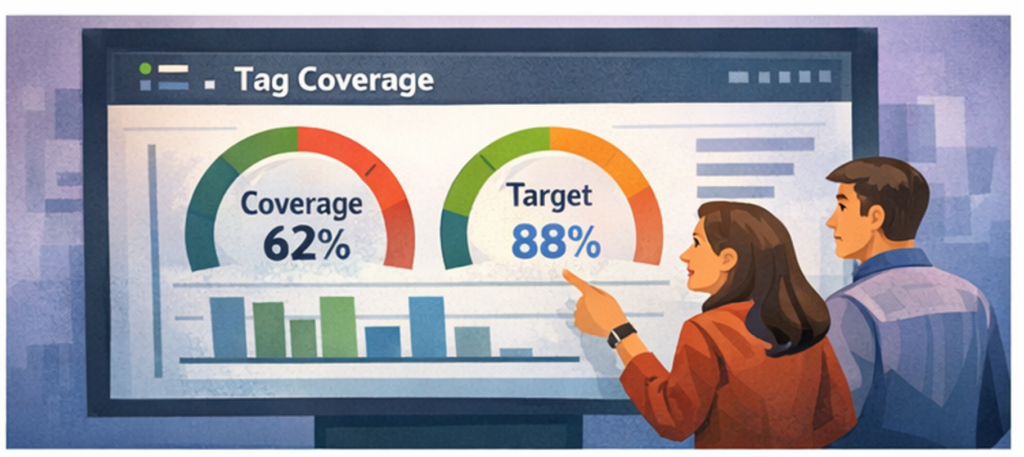
Tag coverage should be tracked as an operational metric alongside utilization and cost variance. The target is 100% of spend attributable to a cost owner, but reaching that target requires knowing exactly where the gaps are.
Coverage should be measured at multiple levels: by cloud account, by service type, by team, and per tag key individually. A resource may carry the “environment” tag but be missing “cost-center,” which still leaves it unallocatable. Measuring per-key coverage surfaces these partial gaps that aggregate metrics hide.
AWS Cost Explorer shows the percentage of costs covered by each activated tag key. Azure Cost Management offers similar views by subscription and resource group. Purpose-built FinOps platforms go further, showing coverage trends over time, surfacing the financial impact of untagged spend, and identifying which teams or services are consistently non-compliant.
A coverage dashboard visible to both engineering teams and leadership creates accountability. When a team can see that their cost center has 62% tag coverage compared to an organization average of 88%, that visibility drives action in a way that policy documents do not.
Automated audits should supplement the dashboard. AWS Config rules, Azure Policy compliance scans, and GCP Asset Inventory can surface missing or invalid tags continuously. Scheduled jobs can normalize casing drift, such as correcting “Prod” to “prod,” and flag resources that have been running untagged for more than a defined number of days.
Real-World Use Cases for Cloud Tagging
Tagging is only valuable if it drives action. In practice, it is the backbone of several critical operational workflows.
Cost allocation and chargeback
A tag like “cost-center=marketing” or “project=payments-migration” lets finance break down the cloud bill by team or initiative rather than treating it as one total. Activating these as cost allocation tags in AWS makes them available in Cost Explorer and Budgets. In GCP, labels flow into BigQuery billing exports. In Azure, Cost Management depends on tags to report across subscriptions. Without them, finance has no way to map spend back to owners, and showback and chargeback models collapse.
Cost optimization
When “environment=dev” is applied consistently, every development workload becomes targetable. Nightly shutdown scripts and scheduling automation can stop dev and staging resources outside business hours without touching production, typically saving 65 to 70 percent of non-production compute costs. This is one of the highest-ROI automation patterns in cloud cost management and it depends entirely on accurate environment tags.
Compliance and auditing
Auditors ask which resources store PII and which systems fall under PCI or HIPAA scope. Tags like “data-classification=pii” or “compliance=pci” let you answer immediately with a filtered report rather than a manual audit. Azure Policy can enforce that every storage account carries a data-classification tag. AWS SCPs can block resource creation unless required compliance tags are present.
Security and access control
Tags integrate directly into identity and access management. AWS IAM conditions can restrict users to managing only resources tagged with “environment=dev,” meaning developers never have access to production resources by default. GCP IAM Conditions scope permissions to specific tag values. This is how attribute-based access control is implemented in practice, and it requires consistent, trustworthy tag data to function.
Incident response
When an alert fires against an instance ID, tags provide the context needed to act immediately: environment=prod, application=payments-api, owner=payments-team@company.com. You know what is broken, where it runs, and who is on call. Without tags, incident response becomes a manual investigation at exactly the moment speed matters most.
Disaster recovery planning. A query for “dr-class=primary” and “region=us-east-1” immediately shows which databases or clusters have no secondary copy in another region. These gaps are far cheaper to discover proactively through tagging than during an actual failover.
Monitoring and observability. Most observability platforms, including Datadog, CloudWatch, and Azure Monitor, use tags as their primary filter. Consistent tags mean new resources appear automatically in the correct dashboards and alert groups. Inconsistent tags create blind spots or alert noise that takes hours to debug.
Handling Legacy Untagged Resources
Every organization inheriting an existing cloud environment faces the same problem: a backlog of untagged resources that predate any policy. These cannot be addressed with provisioning-time enforcement alone.
Start with an audit. Export your cloud inventory with current tag state and quantify what percentage of spend is currently unattributable. Sort by cost impact. There is no value in tagging a three-dollar-per-month instance before addressing a fifty-thousand-dollar-per-month database with no owner tag.
For actively used resources, reach out to account owners and team leads to identify ownership. Even if a complete tagging pass on every resource is not feasible, getting the highest-spend items attributed correctly will dramatically improve allocation accuracy. Build this into a recurring process rather than a one-time sprint.
For resources that nobody can identify, that is itself a signal. Low-traffic, untagged resources with no recent activity and no identifiable owner are strong candidates for termination after a notification period. Many organizations discover significant waste hiding in their untagged inventory.
Automate the remediation where possible. Scheduled jobs that normalize casing drift and backfill default values for tags like “expires=never” on production resources reduce the manual burden of retroactive cleanup.
Virtual Tagging: Closing the Gaps That Traditional Tags Cannot
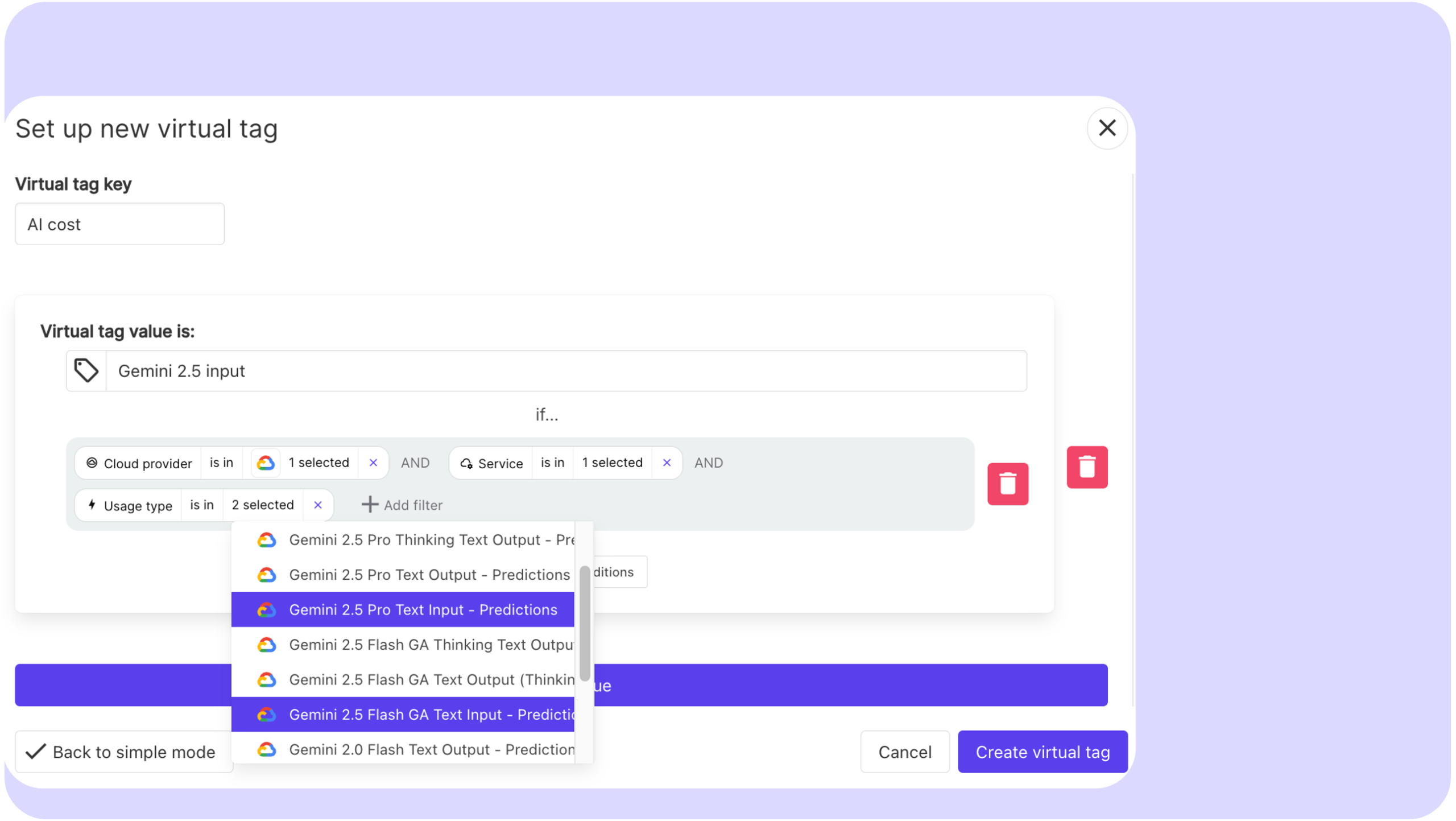
Physical tags are permanent until someone changes them. When your tag taxonomy is wrong, incomplete, or no longer reflects your org structure, fixing it means updating infrastructure across hundreds or thousands of resources. That is weeks of engineering work, coordination across teams, and risk of breaking automation that depends on existing tag values.
Virtual tagging solves this at the reporting layer. Instead of modifying resources, you define allocation rules directly in your FinOps platform: reassign a cost center, split a shared cluster across three teams, reclassify a workload from one project to another. The change takes minutes and can be applied retroactively to historical spend, so your finance reports reflect the new structure immediately without waiting for infrastructure changes to propagate.
This is what makes virtual tagging genuinely powerful beyond just filling gaps. It decouples your cost allocation model from your infrastructure state, meaning your reporting can always reflect business reality even when your tags lag behind. A team reorganization, a product rebrand, a shift in cost ownership: none of these require touching a single resource tag.
Virtual tagging also covers the costs that physical tags can never reach: data transfer fees, support charges, shared infrastructure, and marketplace costs that sit at the account level with no resource-level metadata. Combined with the ability to restructure allocations on the fly, it is what allows FinOps teams to reach 100 percent allocated spend without waiting for perfect tag compliance across every service.
Holori supports virtual tagging across AWS, Azure, and GCP, letting you define and update allocation rules in the platform without touching your underlying infrastructure.
Multi-Cloud Tagging Challenges
Running infrastructure across multiple cloud providers introduces provider-specific constraints that need to be explicitly mapped in your tag taxonomy.
AWS allows up to 50 tags per resource and tag keys are case-sensitive. Azure supports up to 50 tags but also applies them at the resource group level independently of individual resources. GCP labels have a limit of 64 per resource and require lowercase letters, numbers, and hyphens, with no uppercase characters or underscores permitted. A tag key that works perfectly in AWS may be invalid on GCP without modification.
The practical implication is that your taxonomy needs to be designed with multi-cloud normalization in mind. If finance expects a “CostCenter” key across all providers, you need to document that Azure renders it as a label, that GCP requires a lowercase equivalent like “cost-center,” and that your FinOps platform must join these correctly when producing cross-provider reports.
This is a strong argument for centralizing cost allocation in a FinOps platform rather than relying on each provider’s native cost management tools. When all billing data flows through a single platform with a unified tag model, provider-specific inconsistencies can be normalized before they reach the reporting layer.
Building a Tagging Culture
The hardest part of a tagging strategy is organizational, not technical. Applying a tag takes seconds. Getting consistent adoption across dozens of engineers with different priorities and varying FinOps awareness is the real challenge.
Effective organizations treat tagging as part of developer onboarding rather than as a finance requirement delivered after the fact. When engineers understand why tagging matters and can see their team’s cost reports directly linked to their tag compliance, adoption improves substantially. Showback reports that display team-level spend are more motivating than abstract policy documents.
Assign a tagging steward per major team or cost center. This person monitors coverage, escalates gaps, and serves as the point of contact when the taxonomy needs to evolve. It does not need to be a full-time role, but it needs to be someone’s explicit responsibility.
Recognize improvement. When a team moves from 60 to 90 percent coverage, make that visible. In organizations where FinOps is still building credibility with engineering, acknowledging progress keeps the practice from feeling like overhead.
Where to Start and How Holori Helps
If you are starting from zero or recovering from inconsistent past practice, the practical sequence is straightforward: audit first, define second, enforce third.
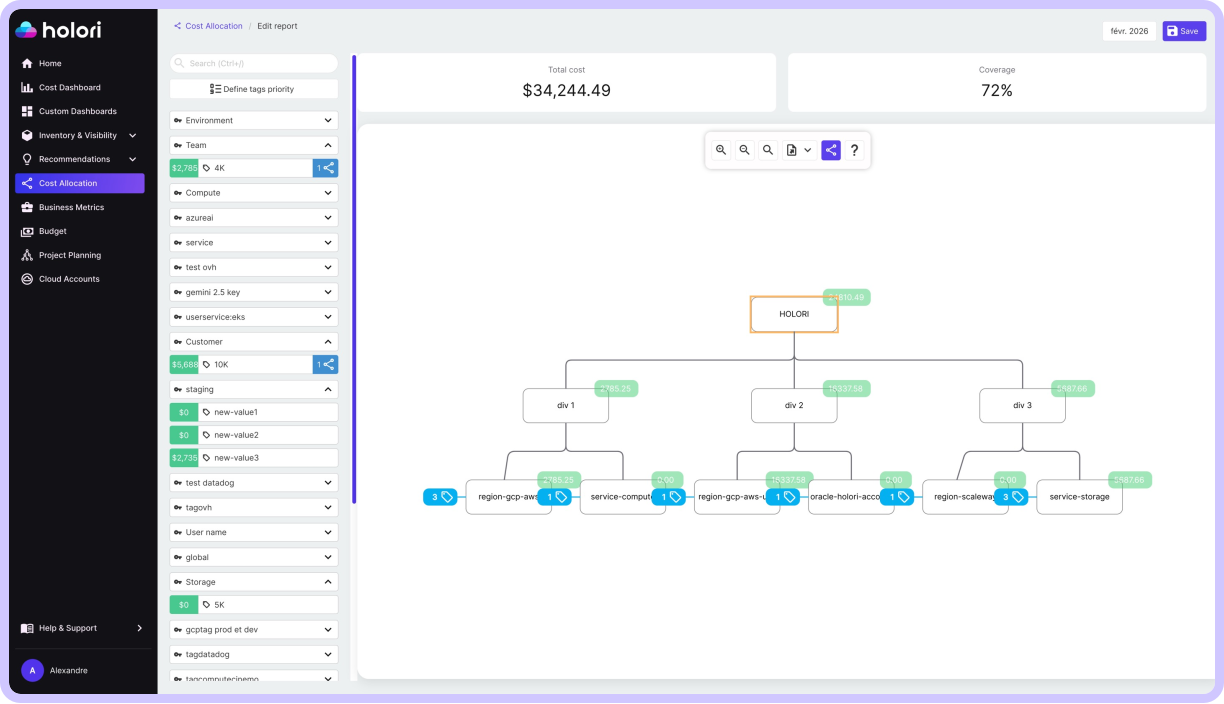
Before you can fix your tagging, you need to know exactly where you stand. That means running a full coverage report across your cloud accounts, quantifying what percentage of spend is currently unallocated, and identifying your highest-cost untagged resources. This is where Holori gives you an immediate advantage. Holori’s multi-cloud cost visibility connects to AWS, Azure, and GCP and surfaces tag coverage gaps across all your accounts in one place, so you can see the financial impact of missing tags before you even start defining a policy.
Once you have your baseline, define your mandatory tag set at five to eight keys maximum, document exact allowed values and naming conventions, and embed validation into your IaC templates. Layer in cloud-native policy enforcement once the taxonomy is stable.
Then comes the gap that no enforcement policy fully solves: the costs that are hard to tag correctly, shared infrastructure, legacy resources, untaggable charges, and the inevitable moments when your org structure changes faster than your tags can keep up. This is where Holori’s virtual tagging capability closes the loop. Instead of opening tickets to re-tag infrastructure, you update your allocation rules directly in Holori, apply the change retroactively, and your finance reports reflect the new reality immediately.
The goal of a tagging strategy is not perfect infrastructure metadata. It is 100 percent of spend allocated to a cost owner, with reporting that reflects how your business actually works today. Physical tags get you most of the way there. Holori gets you the rest.
Try Holori for free: https://app.holori.com/
Frequently Asked Questions
What is a cloud tagging strategy?
A cloud tagging strategy is a documented, enforced standard for how key-value metadata is defined and applied to cloud resources. It specifies which tag keys are mandatory, what the allowed values are for each, and how consistency is enforced through IaC and cloud policy. The goal is uniformity across teams and providers so that tags can reliably drive cost allocation, automation, compliance, and security without breaking due to naming drift.
What is the difference between mandatory and optional tags?
Mandatory tags are required on every resource without exception and are typically enforced through IaC validation and cloud policy deny rules. These cover the minimum set needed for cost attribution and accountability: owner, environment, cost-center, and application are the most common. Optional tags extend the framework for specific use cases such as disaster recovery classification, scheduling automation, or data sensitivity, and are applied where relevant rather than universally required.
What is virtual tagging?
Virtual tagging is a cost allocation technique that applies attribution rules at the reporting layer rather than requiring physical tags on cloud resources. It is used to allocate shared infrastructure costs across multiple owners, cover resource types that do not support physical tags, and fill in gaps during the period when physical tag coverage is still being improved. Virtual tagging rules define how unattributed spend is distributed across cost owners based on usage ratios, headcount, or business agreements.
How do you handle tagging across multiple cloud providers?
Each cloud provider has different tag limits, naming restrictions, and billing integration behaviors, so a multi-cloud taxonomy requires explicit cross-provider mapping. Keys should be designed in their most restrictive format, lowercase with hyphens to satisfy GCP label requirements, and applied consistently across providers. Cost allocation should be centralized in a FinOps platform that normalizes provider-specific tag formats before reporting, rather than relying on each provider’s native tools independently.
How do you measure tag coverage?
Tag coverage should be measured per tag key across each cloud account, service type, and team. A resource missing one mandatory tag is still unallocatable even if other tags are present, so aggregate coverage metrics obscure the real picture. Most cloud cost management platforms provide per-key coverage reporting. The financial impact of the coverage gap, the dollar value of unallocated spend, is the metric that drives action most effectively with both engineering and finance stakeholders.
How many tags should a cloud resource have?
Most resources should carry between four and eight tags at minimum. The four non-negotiable ones are owner, environment, cost-center, and application. Beyond that, add tags that serve a specific purpose: compliance classification, DR tier, backup schedule, or project attribution. Avoid tagging for its own sake. Every tag should be actively used by at least one of: cost reporting, automation, security policy, or compliance auditing.
What happens to untagged resources in AWS?
Untagged resources in AWS are visible in the console and incur charges, but they do not appear in Cost Explorer breakdowns filtered by tag, they are excluded from tag-based budget alerts, and they cannot be targeted by automation or IAM policies that rely on resource tags. AWS also offers Tag Policies through AWS Organizations that can enforce required tags and generate compliance reports showing which resources and accounts are non-compliant.
What is the difference between a tag and a label in cloud computing?
The distinction is provider-specific naming. AWS and Azure use the term “tags” for key-value metadata attached to resources. GCP uses “labels” for the equivalent functionality on most resources, and reserves “tags” for a more recent system that integrates directly with IAM for policy enforcement. Functionally they serve the same purpose: attaching metadata for cost allocation, automation, and governance. The practical difference matters in multi-cloud environments where your taxonomy needs to account for GCP’s stricter character restrictions on label keys and values.